
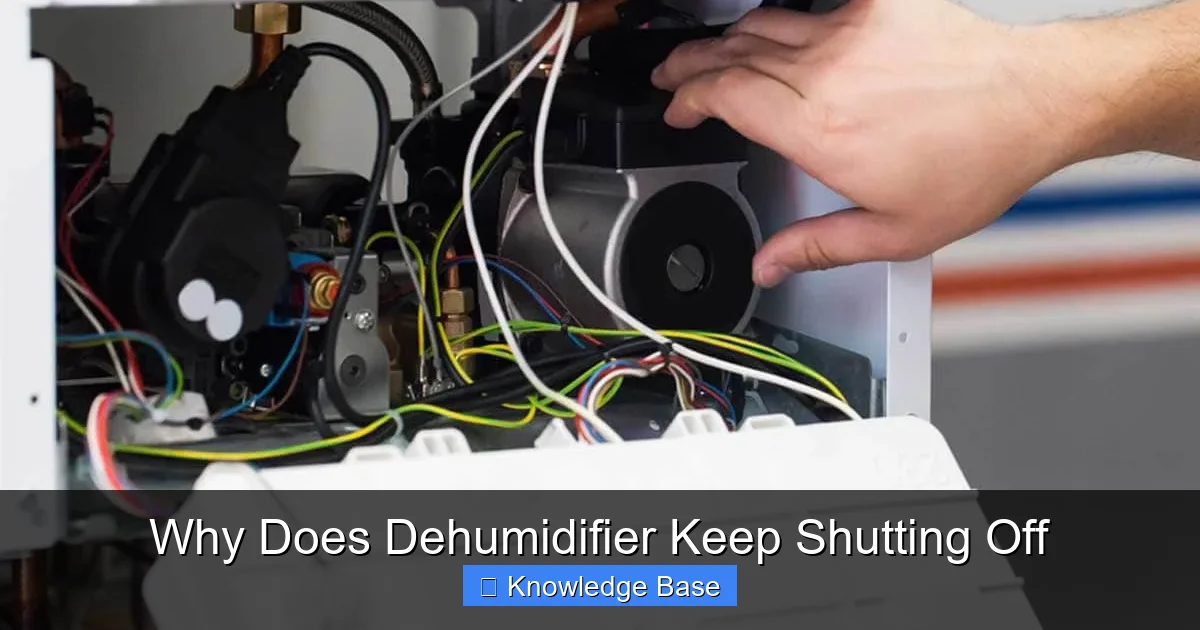
If your dehumidifier keeps shutting off, it’s usually due to a full tank, dirty filters, or temperature issues. This guide walks you through the most common reasons and how to solve them quickly.
Key Takeaways
- Full water tank: Most dehumidifiers shut off automatically when the tank is full to prevent overflow. Always check and empty the tank regularly.
- Dirty or clogged air filter: A blocked filter restricts airflow, causing the unit to overheat and shut down. Clean or replace it every 2–4 weeks.
- Frost buildup on coils: In cold or low-humidity environments, evaporator coils can freeze, triggering an auto-shutoff. Use the defrost function or move the unit to a warmer area.
- Overheating due to poor ventilation: Dehumidifiers need space to breathe. Keep at least 6–12 inches of clearance around the unit to avoid overheating.
- Faulty humidistat or sensor: If the humidity sensor malfunctions, the unit may misread levels and shut off prematurely. Calibrate or replace the sensor if needed.
- Electrical issues or power interruptions: Loose plugs, tripped breakers, or unstable power can cause unexpected shutdowns. Check your outlet and circuit breaker.
- Defective float switch or control board: These internal components can fail over time, causing false shutdown signals. Professional repair may be required.
📑 Table of Contents
Why Does Your Dehumidifier Keep Shutting Off? A Complete Guide
You’ve just set up your dehumidifier in the basement, turned it on, and walked away—only to come back an hour later and find it’s already off. Frustrating, right? You’re not alone. Many homeowners face this exact problem: a dehumidifier that keeps shutting off before it’s done its job. It’s not just annoying; it can also lead to mold growth, musty odors, and damaged belongings if humidity levels stay high.
The good news? Most of the time, this issue isn’t a sign of a broken machine. In fact, it’s often a built-in safety feature doing exactly what it’s supposed to do. Dehumidifiers are designed to shut off under certain conditions—like when the water tank is full or the unit overheats—to protect both the appliance and your home. But when these shutdowns happen too often or at the wrong times, it’s a signal that something needs attention.
In this guide, we’ll walk you through the most common reasons why your dehumidifier keeps shutting off, how to diagnose the problem, and what you can do to fix it. Whether you’re dealing with a brand-new unit or an older model that’s seen better days, these tips will help you get your dehumidifier running smoothly again. We’ll cover everything from simple maintenance tasks to more complex electrical issues, so you can take action with confidence.
Common Causes of a Dehumidifier Shutting Off
Before we dive into solutions, let’s look at the top reasons your dehumidifier might be turning off unexpectedly. Understanding the root cause is the first step toward a lasting fix. Most shutdowns fall into one of a few categories: mechanical, environmental, or electrical. Let’s break them down.
Visual guide about Why Does Dehumidifier Keep Shutting Off
Image source: mcmillinair.com
1. Full Water Tank
This is by far the most common reason a dehumidifier shuts off. Almost every modern dehumidifier comes with a float switch—a small device inside the water tank that rises as water collects. When the tank reaches its maximum capacity, the float triggers a sensor that cuts power to the unit. This prevents water from spilling over and damaging your floors or the machine itself.
If your dehumidifier shuts off shortly after you turn it on, check the water tank first. Is it full? If so, simply empty it, reinsert it properly, and restart the unit. Some models have a “tank full” indicator light, while others may beep or display an error code. Always refer to your user manual for specific signals.
Pro Tip: If you’re running the dehumidifier in a high-humidity area like a basement or laundry room, consider using a continuous drainage hose. This allows water to flow directly into a floor drain or sump pump, eliminating the need to empty the tank manually. Just make sure the hose is securely attached and slopes downward to avoid backflow.
2. Dirty or Clogged Air Filter
Your dehumidifier’s air filter plays a crucial role in keeping the system running efficiently. It traps dust, pet hair, and other airborne particles before they enter the internal components. Over time, this filter can become clogged, especially in dusty environments or homes with pets.
When the filter is blocked, airflow is restricted. This causes the compressor and fan to work harder, which can lead to overheating. As a safety measure, the dehumidifier will shut off to prevent damage. You might also notice reduced moisture removal or a noticeable drop in performance before the shutdown occurs.
To fix this, locate the filter—usually behind a front or side panel—and remove it. Most filters are washable. Rinse it under warm water, let it air dry completely, and reinstall it. If the filter is damaged or too dirty to clean, replace it with a new one. Manufacturers typically recommend cleaning the filter every 2–4 weeks during heavy use.
Example: Sarah, a homeowner in Florida, noticed her dehumidifier kept turning off every few hours. After checking the tank and finding it only half-full, she inspected the filter and discovered it was packed with dust. After cleaning it, the unit ran smoothly for days without interruption.
3. Frost or Ice Buildup on Coils
If you’re using your dehumidifier in a cold space—like an unheated garage, crawl space, or basement during winter—you might run into frost or ice buildup on the evaporator coils. This happens when the temperature drops below 65°F (18°C), especially if humidity levels are low.
As moisture in the air condenses on the cold coils, it can freeze, forming a layer of ice. This blocks airflow and insulates the coils, preventing them from absorbing heat. The unit detects this issue and shuts off to avoid damage. Some models have an automatic defrost function that kicks in after a few minutes, but if the environment is too cold, the cycle may repeat constantly.
To prevent this, avoid running your dehumidifier in areas where temperatures fall below 60°F (15°C). If you must use it in a cold space, look for a model specifically designed for low-temperature operation (often labeled as “cold-climate” or “low-temp” dehumidifiers). These units have enhanced defrost systems and can operate efficiently down to 41°F (5°C).
Quick Fix: If you notice ice on the coils, turn off the dehumidifier and let it sit for a few hours to thaw. Once the ice melts, clean the coils gently with a soft brush or cloth. Then, move the unit to a warmer location or wait for the room to heat up before restarting.
4. Overheating Due to Poor Ventilation
Dehumidifiers generate heat as they remove moisture from the air. To function properly, they need adequate airflow around the unit. If the dehumidifier is placed too close to walls, furniture, or other obstructions, heat can build up inside the machine, triggering an overheat protection sensor.
This is especially common in small, enclosed spaces like closets or under staircases. Even if the room temperature is normal, restricted airflow can cause the internal components to overheat. The unit will shut off as a safety precaution, and you may notice it feels unusually hot to the touch.
To avoid this, always leave at least 6–12 inches of clearance around all sides of the dehumidifier. Make sure the intake and exhaust vents are unobstructed. If you’re placing it in a tight space, consider using a pedestal or stand to improve airflow from below.
Real-Life Scenario: Mark placed his dehumidifier in a corner of his basement, right up against a stack of boxes. After a few hours, it shut off. He moved it to the center of the room, cleared the surrounding area, and the problem disappeared.
5. Faulty Humidistat or Humidity Sensor
The humidistat is the “brain” of your dehumidifier. It measures the current humidity level in the room and tells the unit when to turn on or off based on your target setting. If the humidistat is malfunctioning, it might misread the humidity and shut off prematurely—even when the air is still damp.
This can happen due to sensor drift over time, dust buildup on the sensor, or electrical issues. You might notice that the dehumidifier turns off too soon, or it runs constantly without reaching the desired humidity level.
To test the humidistat, use a separate hygrometer (a device that measures humidity) to check the actual room humidity. If there’s a significant difference between the hygrometer reading and the dehumidifier’s display, the sensor may need recalibration or replacement.
Some high-end models allow you to recalibrate the sensor through the control panel. For older or budget units, you may need to contact the manufacturer or a repair technician. In some cases, replacing the entire control board is more cost-effective than fixing individual components.
6. Electrical Issues or Power Interruptions
Sometimes, the problem isn’t with the dehumidifier itself—but with the power supply. Loose plugs, damaged cords, or unstable outlets can cause intermittent power loss, leading to unexpected shutdowns. Additionally, if the dehumidifier shares a circuit with other high-wattage appliances (like a washing machine or space heater), it may trip the circuit breaker.
Check the power cord for fraying or damage. Make sure the plug is fully inserted into the outlet and that the outlet is functioning. Try plugging the dehumidifier into a different outlet or use a surge protector to rule out electrical issues.
If the circuit breaker trips frequently, it could indicate an overload or a problem with the dehumidifier’s motor. In this case, consult an electrician or contact the manufacturer for support.
How to Troubleshoot a Shutting-Off Dehumidifier
Now that you know the common causes, let’s walk through a step-by-step troubleshooting process. This method will help you identify and fix the issue quickly—without calling a technician.

Visual guide about Why Does Dehumidifier Keep Shutting Off
Image source: cdn.shortpixel.ai
Step 1: Check the Water Tank
Start by turning off the dehumidifier and unplugging it. Remove the water tank and inspect it. Is it full? If yes, empty it completely. Wipe the inside with a clean cloth to remove any residue or mold. Reinsert the tank securely and plug the unit back in. Turn it on and observe if it runs longer than before.
Step 2: Inspect and Clean the Air Filter
Locate the air filter panel (usually marked or labeled). Remove the filter and check for dirt, dust, or clogs. If it’s washable, rinse it under lukewarm water. Avoid using soap or harsh chemicals. Let it dry completely—this is important, as a wet filter can cause mold or electrical issues. Reinstall the filter and restart the dehumidifier.
Step 3: Examine the Coils for Frost or Ice
Look through the vents or remove the front panel (if your model allows) to inspect the coils. If you see ice or frost, turn off the unit and let it thaw for several hours. Once thawed, gently remove any debris with a soft brush. Avoid using sharp tools, as they can damage the delicate fins.
Step 4: Ensure Proper Ventilation
Move the dehumidifier away from walls, furniture, or obstructions. Make sure there’s at least 6–12 inches of space on all sides. If it’s in a small room, consider opening a door or window slightly to improve airflow. Avoid placing it near heat sources like radiators or furnaces.
Step 5: Test the Humidistat
Use a separate hygrometer to measure the room’s humidity. Compare it to the dehumidifier’s display. If there’s a discrepancy of more than 5–10%, the sensor may be faulty. Try resetting the unit by unplugging it for 10 minutes, then plugging it back in. If the problem persists, consider professional repair.
Step 6: Check the Power Source
Test the outlet with another appliance to confirm it’s working. Inspect the power cord for damage. If the dehumidifier trips the breaker, try using a dedicated circuit or reducing the load on the current one.
When to Call a Professional
While many dehumidifier issues can be resolved with basic maintenance, some problems require expert attention. If you’ve tried all the troubleshooting steps and the unit still keeps shutting off, it may have a more serious internal issue.
Common signs that you need professional help include:
- The unit makes unusual noises (grinding, clicking, or buzzing)
- It smells like burning or emits smoke
- The compressor won’t start, even after resetting
- Water leaks from the unit despite an empty tank
- The control panel displays error codes you can’t resolve
In these cases, contact the manufacturer’s customer service or a certified appliance repair technician. Attempting to open or repair internal components yourself can void the warranty and pose safety risks.
Preventing Future Shutdowns
The best way to avoid a dehumidifier that keeps shutting off is through regular maintenance and smart usage habits. Here are some tips to keep your unit running smoothly:
- Clean the filter monthly: Set a calendar reminder to check and clean the air filter.
- Empty the tank daily: If you’re in a high-humidity area, empty the tank every day or use a drain hose.
- Use in the right environment: Keep the room temperature above 65°F (18°C) and avoid dusty or dirty spaces.
- Inspect coils seasonally: Check for dust or ice buildup, especially before and after winter.
- Replace old units: Most dehumidifiers last 5–10 years. If yours is older and frequently malfunctions, it may be time for an upgrade.
Conclusion
A dehumidifier that keeps shutting off doesn’t have to be a mystery or a major expense. In most cases, the cause is simple—like a full tank, dirty filter, or cold environment—and the fix is straightforward. By understanding how your dehumidifier works and following a few basic maintenance steps, you can keep it running efficiently and protect your home from excess moisture.
Remember, your dehumidifier is designed to shut off under certain conditions to keep you and your home safe. But when it happens too often, it’s a sign that something needs attention. Use this guide to diagnose the issue, apply the right solution, and enjoy a healthier, more comfortable living space.
Frequently Asked Questions
Why does my dehumidifier shut off after 10 minutes?
This is often due to a dirty air filter or frost buildup on the coils. Check and clean the filter, and ensure the room temperature is above 65°F. If ice is present, let the unit thaw before restarting.
Can a dehumidifier shut off due to low humidity?
Yes. If the room humidity drops below your set level, the humidistat will signal the unit to turn off. This is normal and indicates the dehumidifier is working correctly.
Is it safe to run a dehumidifier continuously?
Yes, most modern dehumidifiers are designed for continuous operation. Just make sure to empty the tank regularly or use a drain hose to prevent overflow.
Why does my dehumidifier keep tripping the circuit breaker?
This usually happens when the unit shares a circuit with other high-wattage appliances. Try plugging it into a dedicated outlet or reducing the load on the circuit.
How often should I clean my dehumidifier’s filter?
Clean the filter every 2–4 weeks during heavy use, or monthly during lighter use. A clogged filter reduces efficiency and can cause overheating.
Can I use a dehumidifier in a cold basement?
Yes, but only if it’s a cold-climate model designed for low temperatures. Standard units may freeze and shut off in environments below 60°F.