
If your GE dehumidifier keeps beeping, it’s likely trying to tell you something important—like a full water tank, clogged filter, or sensor issue. Understanding the root cause can help you fix the problem quickly and prevent future interruptions in performance.
Key Takeaways
- Full Water Tank: The most common reason for beeping is a full or improperly seated collection bucket. Always check and empty the tank first.
- Dirty or Clogged Air Filter: A blocked filter restricts airflow, triggering alarms. Clean or replace it every 2–4 weeks during heavy use.
- Frost or Ice Buildup: In low temperatures, coils can freeze, causing the unit to beep and shut down. Ensure proper operating conditions.
- Sensor or Control Board Malfunction: Faulty humidity or temperature sensors may send false signals. Resetting or professional repair may be needed.
- Drain Hose or Continuous Drain Issues: If using a hose for continuous drainage, kinks or clogs can cause overflow alerts and beeping.
- Power Interruptions or Surges: Sudden power changes can reset the system and trigger alarms. Use a surge protector for stability.
- Incorrect Settings or Mode Selection: Accidentally activating special modes (like defrost or clean filter alerts) can cause repeated beeping until reset.
📑 Table of Contents
- Why Does Your GE Dehumidifier Keep Beeping? A Complete Guide
- Understanding the Beeping: What Your GE Dehumidifier Is Trying to Tell You
- Common Causes and How to Fix Them
- Preventing Future Beeping: Maintenance and Best Practices
- When to Call a Professional
- Final Thoughts: Silence the Beeping and Enjoy Peace of Mind
Why Does Your GE Dehumidifier Keep Beeping? A Complete Guide
You’re relaxing at home, enjoying the comfort of dry, fresh air—when suddenly, your GE dehumidifier starts beeping. Again. It’s loud, persistent, and honestly, a little frustrating. You’ve already emptied the water tank, but the noise won’t stop. What’s going on?
Don’t worry—you’re not alone. Many GE dehumidifier owners experience this issue, and while it can be annoying, the beeping is actually a helpful feature. It’s the unit’s way of communicating that something needs attention. Whether it’s a simple fix like a full bucket or a more complex issue like a sensor problem, understanding why your dehumidifier is beeping is the first step to solving it.
In this guide, we’ll walk you through the most common reasons your GE dehumidifier keeps beeping, how to diagnose the problem, and what you can do to fix it—fast. We’ll also share practical tips to prevent future alarms and keep your dehumidifier running smoothly all season long.
Understanding the Beeping: What Your GE Dehumidifier Is Trying to Tell You
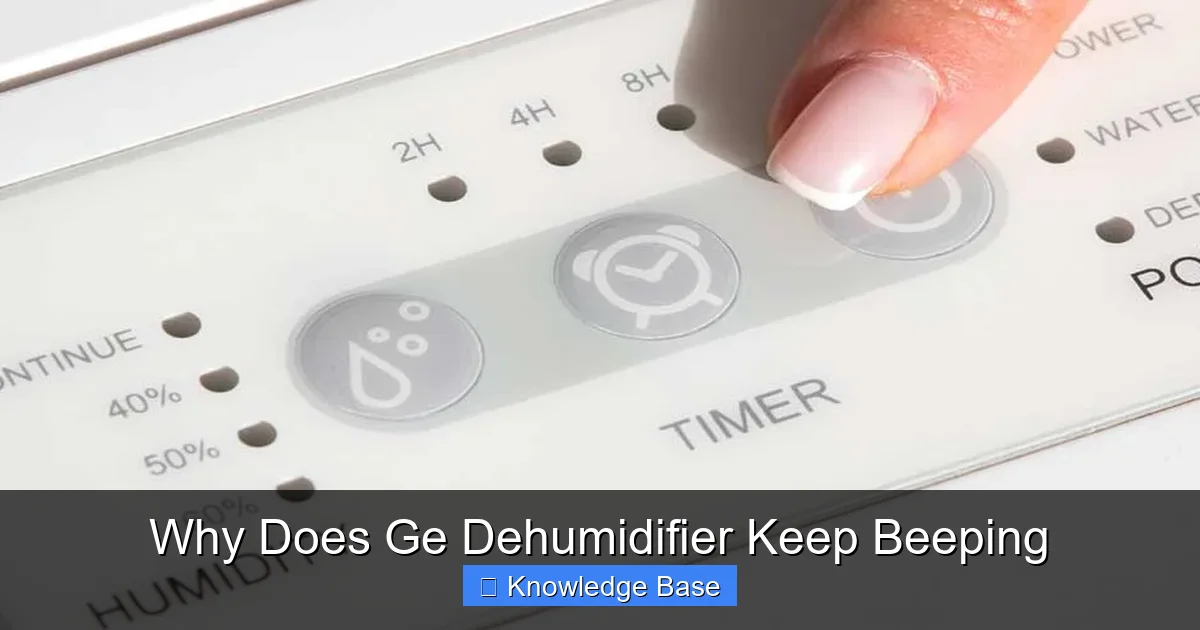
Visual guide about Why Does Ge Dehumidifier Keep Beeping
Image source: applianceanalysts.com
Before diving into fixes, it’s important to understand that the beeping isn’t random. GE dehumidifiers are equipped with intelligent sensors and safety mechanisms designed to protect the unit and alert you to potential issues. The beeping is essentially a built-in alarm system.
Most GE models use audible alerts—like beeps—to signal specific conditions. These can range from routine maintenance reminders to serious operational problems. The key is knowing what each beep pattern means.
For example:
– A single beep when turning the unit on is normal—it’s just a startup confirmation.
– Continuous or repeated beeping usually indicates an error or warning.
– Some models have different beep tones or sequences for different issues (e.g., two short beeps for a full tank, three for a filter alert).
Always refer to your owner’s manual for model-specific beep codes. If you don’t have the manual, you can usually download it from the GE Appliances website using your model number.
How to Identify the Beep Pattern
Start by listening carefully. Is it a constant beep? A series of short beeps? Does it happen only when the unit runs, or even when it’s off? Timing and rhythm matter.
For instance:
– Beeping that starts immediately after turning on the unit might point to a power or sensor issue.
– Beeping that begins after 10–15 minutes of operation could indicate overheating or frost buildup.
– Beeping that stops when you open the front panel may suggest a filter or airflow problem.
Keep a note of when the beeping occurs and under what conditions. This information can help you narrow down the cause—or assist a technician if you need professional help.
Common Causes and How to Fix Them

Visual guide about Why Does Ge Dehumidifier Keep Beeping
Image source: applianceanalysts.com
Now let’s get into the real meat of the issue: the most frequent reasons your GE dehumidifier keeps beeping—and how to resolve them.
1. Full or Misaligned Water Collection Tank
This is, by far, the number one reason for beeping. GE dehumidifiers are designed to stop and beep when the water tank is full to prevent overflow and water damage.
Even if the tank isn’t completely full, it might not be seated properly. A loose or crooked tank can trigger the float switch—a small device inside the tank that detects water level—causing the unit to beep and shut off.
How to Fix It:
– Turn off and unplug the dehumidifier.
– Remove the water tank and check the water level. If it’s full, empty it completely.
– Wipe the inside and outside of the tank with a clean, damp cloth to remove any residue or mold.
– Reinsert the tank firmly, making sure it clicks into place.
– Plug the unit back in and turn it on.
Pro Tip: If you’re using the dehumidifier in a high-humidity area (like a basement), consider emptying the tank every 6–8 hours during peak use. Or, switch to continuous drainage using a hose to avoid frequent interruptions.
2. Dirty or Clogged Air Filter
The air filter in your GE dehumidifier captures dust, pet dander, and other particles from the air. Over time, it gets clogged, restricting airflow. When airflow drops, the unit works harder, which can trigger a filter alert—and yes, that often includes beeping.
Some GE models have a “Clean Filter” indicator light, but even if yours doesn’t, a dirty filter can still cause performance issues and alarms.
How to Fix It:
– Turn off and unplug the dehumidifier.
– Locate the air filter—usually behind a front or side grille.
– Remove the filter and inspect it. If it’s gray or clogged with dust, it’s time to clean it.
– Wash the filter gently with warm water and mild soap. Let it air dry completely—never reinstall a wet filter.
– Reinsert the filter and turn the unit back on.
Pro Tip: Clean the filter every 2–4 weeks during heavy use (spring and summer). In low-humidity seasons, once a month is usually enough. A clean filter not only prevents beeping but also improves efficiency and air quality.
3. Frost or Ice Buildup on the Coils
If your dehumidifier is running in a cold environment—like an unheated basement or garage—the evaporator coils can freeze. When this happens, the unit may beep and shut down to prevent damage.
Frost buildup reduces efficiency and can eventually cause the compressor to overheat. Some GE models have an automatic defrost function, but if the room is too cold (below 65°F), even that may not be enough.
How to Fix It:
– Turn off the dehumidifier and let it sit for 1–2 hours to allow the ice to melt naturally.
– Move the unit to a warmer area if possible—ideally above 65°F.
– Once thawed, wipe away any moisture and restart the unit.
– If the problem persists, check the room temperature and consider using a space heater nearby (safely, of course).
Pro Tip: Avoid using your dehumidifier in temperatures below 60°F unless it’s specifically rated for low-temperature operation (look for “cold climate” or “low-temp” models). Running it in cold conditions not only causes beeping but can shorten the unit’s lifespan.
4. Drain Hose or Continuous Drain Problems
Many GE dehumidifiers come with a drain hose connection for continuous drainage. This is great for unattended operation—but only if the hose is set up correctly.
If the hose is kinked, clogged, or not positioned properly, water can back up into the tank, triggering the full-tank sensor and causing beeping—even if the tank isn’t technically full.
How to Fix It:
– Check the drain hose for bends, twists, or blockages.
– Ensure the hose is securely attached to both the dehumidifier and the drain point (like a floor drain or utility sink).
– Make sure the hose slopes downward—water should flow freely, not pool.
– If using a bucket with a hose, confirm the float switch isn’t stuck in the “full” position.
Pro Tip: Use a clear vinyl hose so you can easily spot clogs. Also, clean the hose monthly with a mixture of water and vinegar to prevent mold or mineral buildup.
5. Sensor or Control Board Malfunction
Sometimes, the beeping isn’t due to a physical issue—but an electronic one. Humidity sensors, temperature sensors, or the main control board can malfunction, sending false signals to the unit.
This is less common, but it does happen—especially after power surges or long-term use. You might notice the dehumidifier beeping randomly, even when the tank is empty and the filter is clean.
How to Fix It:
– Try a hard reset: Unplug the unit for 5–10 minutes, then plug it back in. This can clear temporary glitches.
– If the beeping continues, check for error codes on the display (if your model has one).
– If no error code appears, or if the problem persists after resetting, contact GE customer support or a certified technician.
Pro Tip: Use a surge protector to protect your dehumidifier from voltage spikes. Power fluctuations can damage sensitive electronics over time.
6. Power Interruptions or Electrical Issues
Has your dehumidifier beeped after a power outage or when plugged into a faulty outlet? Sudden power loss or unstable voltage can confuse the unit’s internal system, causing it to beep upon restart.
This is especially common in older homes with outdated wiring or during storms.
How to Fix It:
– Plug the dehumidifier into a different outlet—preferably one on a dedicated circuit.
– Use a surge protector to stabilize power.
– Avoid using extension cords, which can cause voltage drops.
Pro Tip: If you live in an area with frequent outages, consider a model with a memory function that saves settings after power loss.
Preventing Future Beeping: Maintenance and Best Practices
Now that you know how to fix the most common causes, let’s talk prevention. A little regular maintenance can go a long way in keeping your GE dehumidifier quiet and efficient.
Create a Maintenance Schedule
Set reminders on your phone or calendar to:
– Empty the water tank daily (or use continuous drainage).
– Clean the air filter every 2–4 weeks.
– Wipe down the exterior and vents monthly.
– Inspect the drain hose and connections quarterly.
Optimize Placement and Environment
Where you place your dehumidifier matters. Avoid tight spaces, corners, or areas with poor airflow. Keep it at least 6–12 inches away from walls and furniture.
Also, maintain a consistent room temperature. Ideal operating conditions are between 65°F and 80°F with relative humidity between 50% and 60%.
Use the Right Settings
Don’t set the humidity level too low (below 40%)—it can cause the unit to run constantly, increasing wear and tear. Most homes feel comfortable at 45%–50%.
Use the “Auto” or “Continuous” mode wisely. While convenient, continuous mode uses more energy. Switch to “Auto” when possible to let the unit cycle on and off as needed.
Listen to Your Unit
Pay attention to changes in sound, performance, or beeping patterns. Early detection of issues can prevent bigger problems down the line.
If your dehumidifier starts beeping more frequently—or if the beeping is accompanied by reduced performance, strange smells, or water leaks—it’s time to investigate or call a professional.
When to Call a Professional
Most beeping issues can be resolved with simple troubleshooting. But sometimes, the problem is beyond DIY repair.
Contact GE customer support or a certified technician if:
– The beeping continues after trying all basic fixes.
– You notice burning smells, sparks, or smoke.
– The unit won’t turn on at all.
– There’s visible damage to the power cord or internal components.
– The compressor makes loud grinding or clicking noises.
Remember: Tampering with internal components can void your warranty and pose safety risks. When in doubt, get expert help.
Final Thoughts: Silence the Beeping and Enjoy Peace of Mind
The beeping from your GE dehumidifier isn’t just noise—it’s a signal. Whether it’s telling you the tank is full, the filter needs cleaning, or the coils are frozen, each beep is a chance to fix a small issue before it becomes a big one.
By understanding the common causes and following the steps in this guide, you can quickly silence the alarm and restore quiet, efficient operation. Regular maintenance, proper placement, and mindful usage will keep your dehumidifier running smoothly for years to come.
So the next time your GE dehumidifier starts beeping, don’t panic. Take a deep breath, check the tank, clean the filter, and give it a reset. More often than not, that’s all it takes to get back to peaceful, dry air.
And if all else fails? You now know when it’s time to call in the pros. Your comfort—and your sanity—are worth it.
Frequently Asked Questions
Why does my GE dehumidifier beep even after I empty the tank?
The tank may not be seated properly, or the float switch could be stuck. Remove the tank, check for debris, and reinsert it firmly until it clicks into place.
Can a dirty filter really cause beeping?
Yes. A clogged filter restricts airflow, which can trigger a filter alert or cause the unit to overheat, leading to beeping. Clean the filter regularly to prevent this.
Is it normal for my dehumidifier to beep when it first turns on?
A single beep at startup is normal and indicates the unit is powering on correctly. Continuous or repeated beeping, however, usually signals an issue.
My dehumidifier beeps in the middle of the night. What should I do?
Check if the tank is full or if the room is too cold (causing frost). Empty the tank and ensure the unit is in a warm, well-ventilated area.
Can I disable the beeping on my GE dehumidifier?
Most GE models do not allow you to disable the beeping, as it’s a safety feature. However, fixing the underlying issue will stop the alarm.
How often should I clean the air filter to prevent beeping?
Clean the filter every 2–4 weeks during heavy use (spring and summer) and monthly during lighter use. A clean filter ensures proper airflow and prevents alarms.