

Dehumidifier compressor overheating is a common but preventable issue that can shorten your appliance’s lifespan and reduce efficiency. Understanding the root causes—like poor ventilation, dirty coils, or refrigerant problems—helps you act fast and keep your home comfortable.
Key Takeaways
- Blocked airflow is a top cause: Dusty filters or obstructed vents restrict air movement, forcing the compressor to work harder and overheat.
- Dirty condenser and evaporator coils reduce efficiency: Built-up grime insulates the coils, preventing proper heat exchange and increasing compressor strain.
- Low refrigerant levels lead to overheating: Leaks or improper charging cause the compressor to run longer cycles, generating excess heat.
- High ambient temperatures stress the system: Operating in hot environments (like unventilated basements or garages) pushes the compressor beyond its limits.
- Electrical issues can trigger overheating: Faulty capacitors, wiring problems, or voltage fluctuations disrupt normal operation and cause overheating.
- Regular maintenance prevents most problems: Cleaning filters, checking coils, and inspecting refrigerant levels can stop overheating before it starts.
- Ignoring overheating risks permanent damage: Continued overheating can burn out the compressor, requiring costly repairs or replacement.
📑 Table of Contents
- Why Dehumidifier Compressor Overheating Happens—And How to Stop It
- How the Dehumidifier Compressor Works
- Top Causes of Dehumidifier Compressor Overheating
- How to Diagnose Compressor Overheating
- How to Prevent Dehumidifier Compressor Overheating
- When to Replace vs. Repair Your Dehumidifier
- Final Thoughts
Why Dehumidifier Compressor Overheating Happens—And How to Stop It
If your dehumidifier suddenly shuts off, feels unusually hot to the touch, or makes strange noises, the compressor might be overheating. This small but powerful component is the heart of your dehumidifier—it pumps refrigerant through the system to remove moisture from the air. But when it gets too hot, it can trip safety switches, reduce performance, or even fail completely.
You’re not alone. Many homeowners face this issue, especially during humid summer months or when running the unit nonstop. The good news? Most causes of dehumidifier compressor overheating are easy to identify and fix—if you know what to look for. In this guide, we’ll walk you through the most common reasons your dehumidifier’s compressor is overheating, how to diagnose the problem, and what you can do to prevent it from happening again.
Whether you’re dealing with a new unit or an older model, understanding how your dehumidifier works—and why it overheats—can save you time, money, and frustration. Let’s dive in.
How the Dehumidifier Compressor Works

Visual guide about Why Dehumidifier Compressor Overheating
Image source: aircompressorcfm.com
Before we explore why the compressor overheats, it helps to understand what it does. The compressor is a motor-driven pump that sits at the core of your dehumidifier’s refrigeration system. Its job is to compress low-pressure, cool refrigerant gas into high-pressure, hot gas. This process raises the refrigerant’s temperature so it can release heat through the condenser coils.
Once the hot gas passes through the condenser, it cools down and turns into a liquid. That liquid then flows to the evaporator coils, where it expands and cools dramatically. As warm, humid air from your room passes over these cold coils, moisture condenses into water droplets, which collect in a tank or drain hose. The now-cooled air is reheated slightly and blown back into the room.
This cycle repeats continuously as long as the dehumidifier is running. The compressor is the workhorse behind it all—constantly cycling refrigerant and maintaining the pressure differences needed for dehumidification.
But like any hardworking machine, the compressor generates heat. Under normal conditions, this heat is managed by airflow, refrigerant flow, and built-in thermal protection. However, when something disrupts this balance—like poor ventilation or low refrigerant—the compressor can overheat.
The Role of Thermal Protection
Most modern dehumidifiers come with built-in thermal protection devices, such as thermal overload switches or high-limit thermostats. These safety features monitor the compressor’s temperature and automatically shut it off if it gets too hot. This prevents immediate damage but also means your dehumidifier will stop working until it cools down.
While this protection is essential, frequent tripping is a red flag. It tells you that something is wrong—and if you ignore it, you risk permanent compressor failure.
Top Causes of Dehumidifier Compressor Overheating
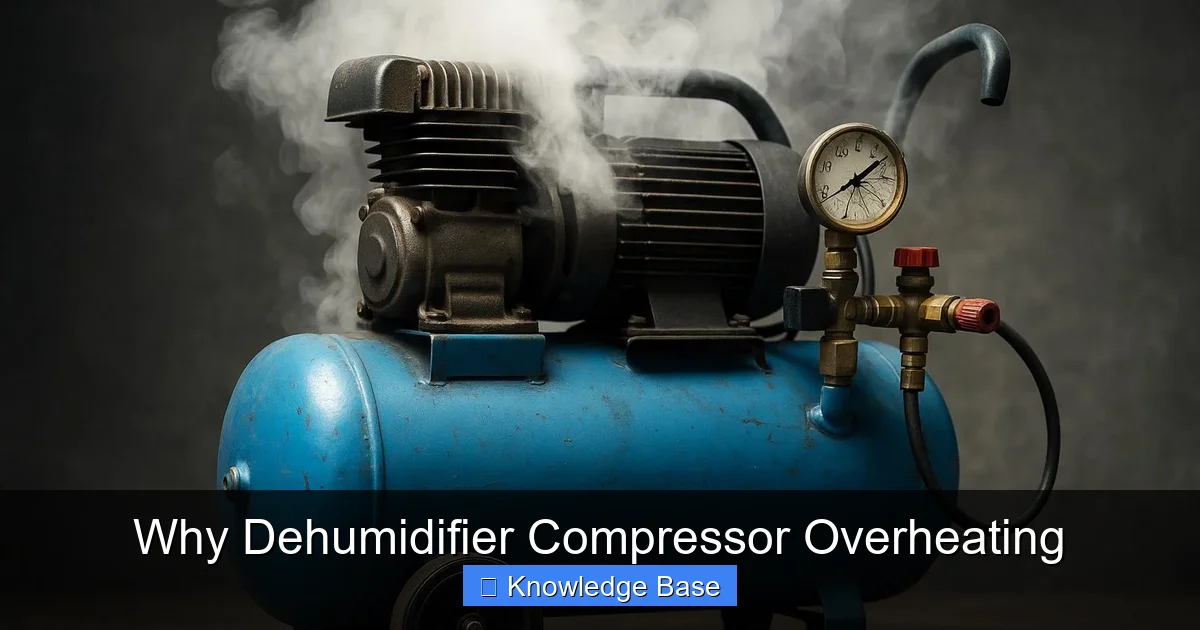
Visual guide about Why Dehumidifier Compressor Overheating
Image source: aircompressorcfm.com
Now that you know how the compressor works, let’s look at the most common reasons it overheats. Understanding these causes will help you troubleshoot effectively and avoid future problems.
1. Blocked or Restricted Airflow
Airflow is critical for keeping the compressor cool. If air can’t move freely through the unit, heat builds up inside the system. The most common airflow blockages come from:
– Dirty or clogged air filters
– Obstructed intake or exhaust vents
– Placing the dehumidifier too close to walls or furniture
For example, if you haven’t cleaned your dehumidifier’s filter in months, dust and lint can accumulate and block air from entering the unit. This forces the compressor to work harder to pull in air, generating more heat than usual. Similarly, if you’ve placed your dehumidifier in a tight corner with only a few inches of clearance, exhaust heat can’t escape, causing the internal temperature to rise.
Tip: Check your user manual for the recommended clearance around the unit—usually at least 6 to 12 inches on all sides. Clean or replace the air filter every 1–2 months during heavy use.
2. Dirty or Frosted Coils
The condenser and evaporator coils are essential for heat exchange. When they’re coated in dust, dirt, or frost, they can’t transfer heat efficiently. This causes the compressor to run longer cycles to achieve the same cooling effect, leading to overheating.
Dirty coils act like insulation, trapping heat instead of releasing it. Frost buildup, on the other hand, is often a sign of low refrigerant or poor airflow. As the evaporator coils get colder than intended, moisture in the air freezes on them, forming a layer of ice that blocks airflow and reduces efficiency.
Example: Imagine running your dehumidifier in a cold basement during winter. If the room temperature drops below 65°F (18°C), the evaporator coils can frost over, especially if the unit isn’t designed for low-temperature operation. This frost buildup strains the compressor and can trigger overheating.
Solution: Turn off the dehumidifier and let the ice melt. Clean the coils with a soft brush or coil cleaner. If frosting happens frequently, consider using a cold-weather dehumidifier or relocating the unit to a warmer area.
3. Low Refrigerant Levels
Refrigerant is the lifeblood of your dehumidifier’s cooling system. If levels are low—due to a leak or improper charging during manufacturing—the compressor has to work much harder to maintain pressure and temperature differences.
Low refrigerant reduces the system’s cooling capacity, so the compressor runs longer and hotter to remove the same amount of moisture. Over time, this constant strain leads to overheating and eventual burnout.
Signs of low refrigerant include:
– Reduced moisture removal
– Ice buildup on coils
– Hissing or bubbling noises (indicating a leak)
– Compressor running continuously without cooling effectively
Important: Only certified HVAC technicians should handle refrigerant. If you suspect a leak, don’t try to recharge it yourself—call a professional.
4. High Ambient Temperatures
Dehumidifiers are designed to operate within a specific temperature range—typically between 65°F and 80°F (18°C to 27°C). When the surrounding air is too hot, the compressor struggles to dissipate heat, increasing the risk of overheating.
For instance, running a dehumidifier in an unventilated garage during a heatwave can push the unit beyond its limits. The compressor generates heat, but the hot environment prevents it from cooling down, creating a dangerous feedback loop.
Tip: Avoid placing your dehumidifier in direct sunlight or near heat sources like furnaces or water heaters. If you must use it in a hot space, ensure proper ventilation and consider using a fan to improve airflow.
5. Electrical Problems
Electrical issues can also cause compressor overheating. Common culprits include:
– Faulty start or run capacitors
– Loose or corroded wiring
– Voltage fluctuations or power surges
Capacitors help the compressor start and run smoothly. If they’re weak or damaged, the compressor may draw excessive current, overheat, or fail to start. Similarly, poor electrical connections can cause arcing or resistance, generating heat at the connection points.
Warning: Electrical repairs should only be done by qualified technicians. Tampering with wiring can be dangerous and may void your warranty.
6. Overworking the Unit
Sometimes, the problem isn’t mechanical—it’s usage. Running your dehumidifier 24/7 in extremely humid conditions can overwork the compressor, especially if the unit is undersized for the space.
For example, using a 30-pint dehumidifier in a large, damp basement may force it to run nonstop, never getting a break to cool down. Over time, this constant operation leads to overheating and wear.
Solution: Choose a dehumidifier with the right capacity for your room size. Look for models with auto-humidistats that turn the unit on and off based on humidity levels, giving the compressor time to rest.
How to Diagnose Compressor Overheating
If your dehumidifier keeps shutting off or feels hot, here’s how to figure out what’s going on.
Step 1: Check the Air Filter
Start with the simplest fix. Turn off the dehumidifier, unplug it, and locate the air filter—usually behind a front or side panel. Remove it and inspect for dust and debris. If it’s dirty, clean it with warm water and let it dry completely before reinstalling.
Pro Tip: Some filters are washable; others need replacement. Check your manual to be sure.
Step 2: Inspect the Coils
With the unit unplugged, open the access panel (if available) and look at the condenser and evaporator coils. Are they dusty? Is there frost or ice? Use a soft brush or vacuum with a brush attachment to gently clean the coils. For stubborn grime, use a commercial coil cleaner.
Caution: Don’t use water or harsh chemicals on electrical components. Always follow manufacturer guidelines.
Step 3: Check for Airflow Obstructions
Make sure nothing is blocking the intake or exhaust vents. Move the dehumidifier away from walls, furniture, or curtains. Ensure there’s at least 6–12 inches of clearance on all sides.
Step 4: Listen for Unusual Noises
When you turn the unit back on, listen carefully. A healthy compressor should run smoothly with a low hum. If you hear clicking, grinding, or buzzing, it could indicate an electrical issue or mechanical failure.
Step 5: Monitor Temperature and Performance
Let the dehumidifier run for 30–60 minutes. Feel the exhaust air—it should be slightly warm. If the unit feels excessively hot or shuts off repeatedly, there may be a deeper issue like low refrigerant or a failing compressor.
Step 6: Consult a Professional
If basic troubleshooting doesn’t solve the problem, it’s time to call a technician. They can test refrigerant levels, check electrical components, and diagnose compressor health.
How to Prevent Dehumidifier Compressor Overheating
Prevention is always better than repair. Here are practical steps to keep your dehumidifier running smoothly and avoid compressor overheating.
1. Clean the Filter Regularly
Make filter cleaning part of your monthly routine. Set a reminder on your phone or calendar. A clean filter ensures proper airflow and reduces strain on the compressor.
2. Clean the Coils Every 3–6 Months
Even if they look clean, coils can accumulate microscopic dust over time. Use a coil brush or cleaner to remove buildup and maintain efficiency.
3. Ensure Proper Ventilation
Place your dehumidifier in an open area with good airflow. Avoid tight spaces, corners, or enclosed cabinets. If needed, use a small fan to improve air circulation.
4. Use the Right Size Unit
Choose a dehumidifier rated for your room’s square footage and humidity level. An undersized unit will overwork; an oversized one may short-cycle, causing other issues.
5. Avoid Extreme Temperatures
Don’t use your dehumidifier in environments outside its operating range. If your basement is too cold, consider insulating it or using a cold-weather model.
6. Schedule Annual Maintenance
Just like your HVAC system, your dehumidifier benefits from professional checkups. A technician can inspect refrigerant levels, test electrical components, and clean internal parts.
7. Use a Surge Protector
Power surges can damage sensitive electronics. Plug your dehumidifier into a quality surge protector to guard against voltage spikes.
When to Replace vs. Repair Your Dehumidifier
Sometimes, despite your best efforts, the compressor fails. When that happens, you’re faced with a tough decision: repair or replace?
Consider Repair If:
– The unit is less than 5 years old
– The repair cost is less than 50% of a new unit
– It’s a high-quality model with good energy efficiency
Consider Replacement If:
– The compressor is burned out and expensive to fix
– The unit is over 7–10 years old
– It’s inefficient or uses outdated refrigerant (like R-22)
Newer dehumidifiers are more energy-efficient, quieter, and often come with smart features like Wi-Fi controls and auto-defrost. Upgrading could save you money on electricity and improve performance.
Final Thoughts
Dehumidifier compressor overheating is a frustrating but manageable problem. By understanding the causes—like blocked airflow, dirty coils, low refrigerant, and high ambient temperatures—you can take proactive steps to prevent it. Regular maintenance, proper placement, and timely repairs go a long way in extending your unit’s life and keeping your home comfortable.
Don’t ignore the warning signs. A hot compressor isn’t just inefficient—it’s a ticking time bomb. Address issues early, and your dehumidifier will reward you with years of reliable service.
Remember: a little care today can prevent a big repair tomorrow. Keep your filters clean, your coils clear, and your unit well-ventilated. Your compressor—and your peace of mind—will thank you.
Frequently Asked Questions
Why does my dehumidifier keep shutting off?
Your dehumidifier may be shutting off due to compressor overheating. This often happens when airflow is blocked, coils are dirty, or refrigerant levels are low. Check the filter and vents, and ensure the unit has proper clearance.
Can a dirty filter cause compressor overheating?
Yes, a dirty filter restricts airflow, forcing the compressor to work harder and generate excess heat. Clean or replace the filter every 1–2 months to prevent this issue.
Is it safe to run a dehumidifier in a hot garage?
It depends on the temperature. Most dehumidifiers work best between 65°F and 80°F. In very hot garages, the compressor may overheat. Use a fan for ventilation or choose a high-temperature model.
How often should I clean my dehumidifier coils?
Clean the coils every 3–6 months, or more often if you use the unit heavily. Dust and grime reduce efficiency and can lead to overheating.
Can low refrigerant cause overheating?
Yes, low refrigerant forces the compressor to run longer cycles, increasing heat buildup. Only a licensed technician should check and recharge refrigerant.
Should I repair or replace an overheating dehumidifier?
If the compressor is damaged and the unit is over 7 years old, replacement is often more cost-effective. Newer models are more efficient and reliable.