
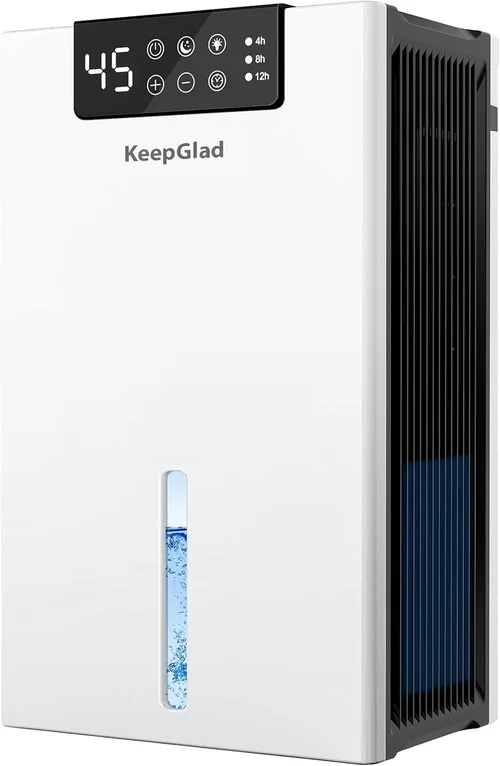
Smart dehumidifiers have revolutionized the way we manage indoor humidity, transforming what was once a clunky, noisy appliance into a sleek, connected home essential. Whether you’re battling damp basements, musty closets, or seasonal allergies, a smart dehumidifier offers precise control, real-time monitoring, and automated comfort—all from your smartphone. But with so many models flooding the market, each boasting Wi-Fi connectivity, voice assistant compatibility, and AI-driven humidity sensing, choosing the right one can feel overwhelming. That’s where this comprehensive guide comes in.
This buying guide is designed for homeowners, renters, and tech-savvy individuals who want more than just moisture removal—they want intelligence, efficiency, and seamless integration into their smart home ecosystem. You’ll learn how to evaluate performance specs, understand connectivity options, compare brands, avoid common pitfalls, and ultimately select a dehumidifier that fits your space, lifestyle, and budget. We’ll cut through the marketing hype and focus on real-world functionality, reliability, and long-term value.
The smart dehumidifier market has matured rapidly over the past few years. Leading brands like Frigidaire, GE, Midea, and Tosot now offer Wi-Fi-enabled units that sync with Alexa, Google Assistant, and Apple HomeKit. These devices don’t just pull moisture from the air—they learn your habits, adjust settings automatically, send alerts when the tank is full, and even integrate with other smart home systems like thermostats and air purifiers. With energy efficiency standards tightening and consumer demand for healthier indoor air quality rising, now is the perfect time to invest in a smart dehumidifier. But not all smart features are created equal, and understanding what truly matters will save you money, frustration, and wasted energy.
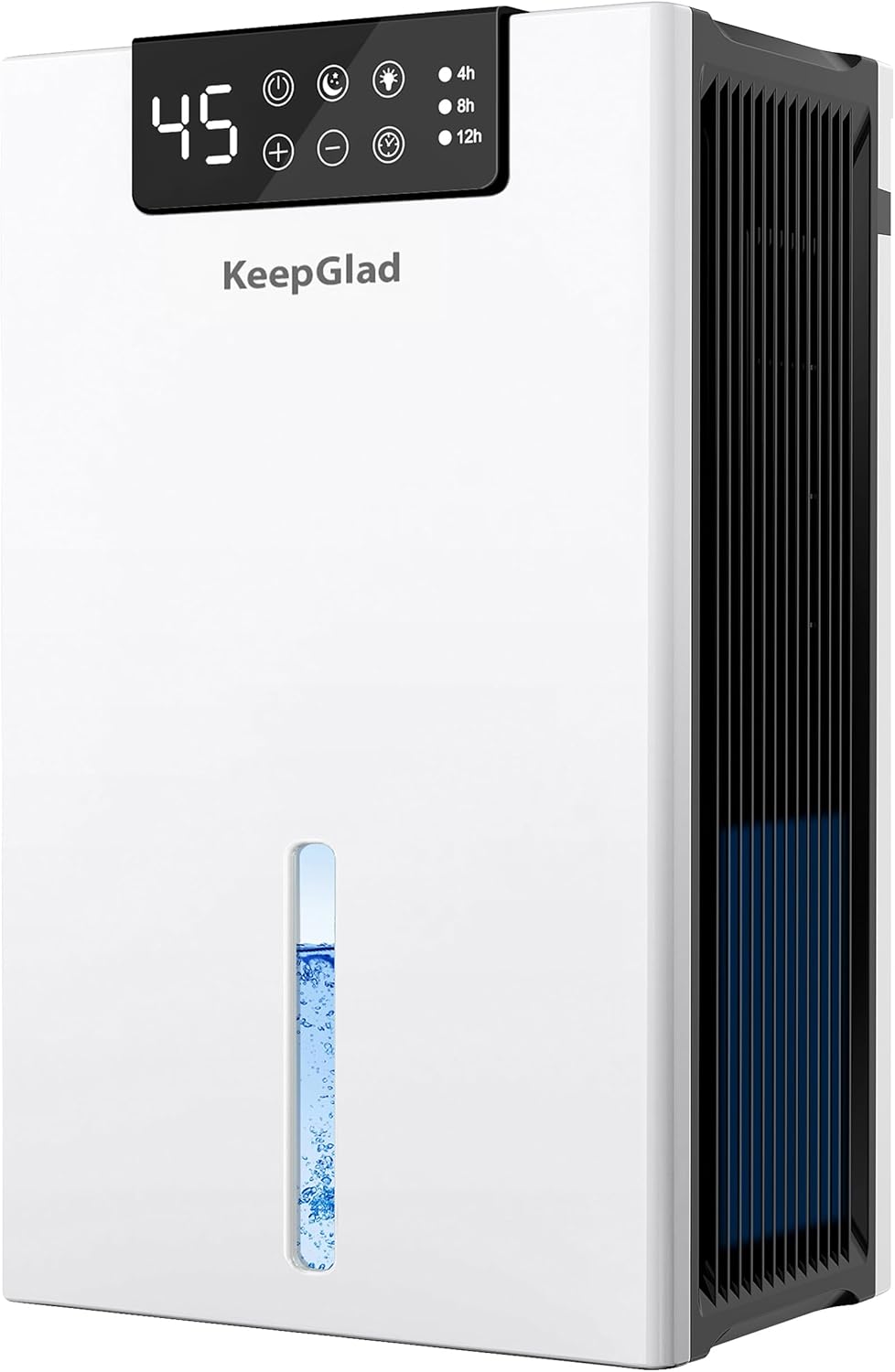
What to Look for When Buying Buying Guide
1. Performance Specifications
When evaluating any dehumidifier—smart or not—performance specs are the foundation of your decision. The most critical metric is pint capacity, which indicates how much moisture the unit can remove in 24 hours under standard testing conditions (typically 60% relative humidity at 80°F). For example, a 30-pint model suits a 500–1,000 sq ft basement, while a 50-pint unit is better for larger spaces like finished basements or whole-house applications.
But don’t stop at pints per day. Look at the operating range—the temperature and humidity levels at which the unit functions effectively. Most residential dehumidifiers work best between 65°F and 80°F. If you’re placing it in an unheated garage or crawl space that drops below 60°F, you’ll need a cold-climate model with auto-defrost functionality to prevent ice buildup on the coils.
Another key spec is energy efficiency, measured in liters per kilowatt-hour (L/kWh) or by the Energy Factor (EF). ENERGY STAR-certified models typically remove 1.8–2.2 liters of moisture per kWh, making them up to 15% more efficient than non-certified units. Over time, this translates to significant savings on your electricity bill—especially if you run the dehumidifier daily.
Also consider airflow rate (measured in CFM—cubic feet per minute). Higher airflow means faster moisture removal and better circulation, which is crucial in large or poorly ventilated areas. A good rule of thumb: aim for at least 150–200 CFM for medium-sized rooms.
Finally, check the tank size. Smart dehumidifiers often come with larger tanks (2–3 gallons) to reduce manual emptying, but many also offer continuous drainage via a hose connection—ideal for unattended operation in basements or crawl spaces.
2. Smart Features & Connectivity
This is where smart dehumidifiers truly shine—and where many buyers get distracted by flashy features that don’t add real value. Start with Wi-Fi connectivity. Ensure the unit supports your home network (2.4 GHz is standard; 5 GHz is less common but faster). Most smart dehumidifiers use proprietary apps (like Frigidaire’s “SmartHQ” or GE’s “SmartHQ”), so download the app beforehand to test usability and check for frequent updates or bugs.
Voice control is a must-have for many. Look for native compatibility with Amazon Alexa, Google Assistant, or Apple Siri. This allows hands-free commands like “Alexa, set the dehumidifier to 50% humidity” or “Hey Google, is the basement dry?” Some models even support IFTTT (If This Then That) for custom automations—like turning on the dehumidifier when your smart thermostat detects high humidity.
Automation and scheduling are game-changers. The best smart dehumidifiers let you create custom schedules (e.g., run only at night when electricity rates are lower) or set humidity targets that the unit maintains automatically. Advanced models use onboard sensors to monitor ambient conditions and adjust fan speed and compressor output in real time—no manual tweaking needed.
Remote monitoring is another standout feature. Receive push notifications when the water tank is full, filter needs cleaning, or if humidity spikes unexpectedly. This is especially useful for vacation homes or rental properties where you can’t check in person.
Lastly, consider integration with other smart devices. Can it talk to your smart thermostat? Does it pause when your window AC turns on? These synergies enhance overall home efficiency and comfort.
3. Build Quality & Durability
A dehumidifier is a long-term investment, so build quality matters—especially in humid environments where corrosion and mold can degrade components over time. Start with the cabinet material. High-quality plastic (like ABS or polycarbonate) resists yellowing and cracking better than cheaper alternatives. Metal grilles and reinforced handles add durability, particularly for portable units.
Look for rust-resistant coatings on internal coils and tanks. Stainless steel or coated aluminum components last longer in damp settings. The compressor—the heart of the system—should be from a reputable manufacturer (like Panasonic or LG) and housed in a vibration-dampening mount to reduce noise and wear.
Check the filter type and accessibility. Washable, reusable filters are eco-friendly and cost-effective, but ensure they’re easy to remove and clean. Some premium models include HEPA or activated carbon filters for odor and allergen control—great for allergy sufferers.
Noise level is often overlooked but critical if placing the unit near living spaces. Measured in decibels (dB), most smart dehumidifiers range from 45–55 dB on low fan settings—comparable to a quiet conversation. Look for models with variable fan speeds and “quiet mode” for nighttime use.
Finally, inspect the wheels and handle design. If you plan to move the unit between rooms, sturdy casters and an ergonomic handle make a big difference. Avoid flimsy plastic wheels that crack under weight.
4. Size & Portability
Even smart dehumidifiers come in various sizes, and choosing the right footprint is essential—especially in tight spaces like closets, RVs, or under sinks. Physical dimensions (height, width, depth) should be checked against your intended placement area. Many manufacturers list these specs clearly, but always allow extra clearance for airflow (at least 6–12 inches on all sides).
Weight matters too. A 30-pint unit might weigh 35–40 lbs when empty and over 50 lbs when full. If you’re placing it on an upper floor or moving it frequently, opt for a lighter model with robust wheels. Some compact smart dehumidifiers weigh under 25 lbs and fit under kitchen cabinets—ideal for small apartments.
Consider placement flexibility. Can it sit flat on the floor? Mount on a wall? Sit on a shelf? Most are floor-standing, but a few ultra-compact models are designed for elevated surfaces. Also, check cord length—ideally 6 feet or more—to avoid extension cords.
For whole-home coverage, some smart dehumidifiers support multi-unit synchronization via the app, allowing you to manage several devices from one dashboard. This is useful in large homes with multiple problem zones.
5. Brand Reputation & Reliability
Not all smart appliance brands are created equal. Stick with manufacturers known for HVAC expertise and strong customer support. Frigidaire, GE Appliances, Midea, and Tosot dominate the smart dehumidifier space with proven track records. These companies invest in R&D, offer reliable firmware updates, and maintain service networks across North America.
Avoid obscure brands with flashy ads but no history in climate control. While they may offer lower prices, they often cut corners on components, lack app stability, or disappear when warranty claims arise. Read professional reviews from trusted sources like Consumer Reports, Wirecutter, or CNET—not just Amazon star ratings, which can be manipulated.
Check the company’s software update policy. Smart appliances rely on firmware to fix bugs and add features. Brands that regularly update their apps and device software (e.g., quarterly) demonstrate commitment to long-term usability.
Also, consider local availability of parts and service. If something breaks, you don’t want to wait weeks for a replacement compressor. Brands with national service centers or partnerships with retailers like Home Depot or Lowe’s offer faster resolution.
6. Warranty & Support
A smart dehumidifier is only as good as the support behind it. Most reputable brands offer a 1-year limited warranty covering parts and labor, but some extend coverage on key components. For example, Frigidaire provides a 2-year warranty on sealed systems (compressor, condenser, evaporator), while GE offers a 5-year compressor warranty on select models.
Read the fine print: Does the warranty cover software issues? What about accidental damage or power surges? Some include free tech support for app setup—a lifesaver for non-tech users.
Extended warranties are rarely worth it for appliances under $500, but if you’re buying a premium $800+ model, consider manufacturer-backed plans that cover accidental damage or in-home service.
Customer service responsiveness is equally important. Test it before buying: call the support line, send an email, or chat online. How quickly do they respond? Are agents knowledgeable about smart features? A brand that treats pre-sales inquiries well usually provides better post-purchase support.
7. User Reviews & Ratings
While specs and brand matter, real-world performance is best judged by actual users. Scour verified purchase reviews on Amazon, Best Buy, and Home Depot. Pay attention to long-term feedback (6+ months of use), which reveals durability, app reliability, and hidden flaws.
Look for patterns: Are multiple users reporting app crashes? Tank leaks? Excessive noise? These red flags outweigh a few glowing 5-star reviews. Also, note how the company responds to complaints—do they offer solutions or ignore issues?
Be wary of fake reviews. Genuine feedback includes specific details (“Works great in my 800 sq ft basement”) rather than vague praise (“Amazing product!”). Use tools like Fakespot or ReviewMeta to analyze review authenticity.
Finally, check professional评测 (reviews) from HVAC experts or smart home reviewers. They often test noise, energy use, and app functionality under controlled conditions—giving you a more objective view than anecdotal user reports.
8. Budget & Price Range
Smart dehumidifiers range from budget-friendly to premium, and understanding what you get at each tier prevents overspending or underbuying. Entry-level models ($150–$250) offer basic Wi-Fi and app control but may lack advanced sensors, robust build quality, or reliable voice integration. They’re fine for small spaces or occasional use.
Mid-range units ($250–$400) strike the best balance—think Frigidaire FFAD7033R1 or GE APER50LY. These include accurate humidity sensors, quiet operation, large tanks, and solid app functionality. Most homeowners find this range ideal.
Premium models ($400–$600) add features like HEPA filtration, multi-room sync, detailed energy reports, and superior cold-weather performance. Brands like Tosot and Midea offer excellent options here.
Luxury-tier dehumidifiers ($600+) are rare but exist—often whole-home systems with ducting compatibility, professional installation, and enterprise-grade apps. These are overkill for most households but suit large estates or commercial spaces.
Remember: the cheapest option isn’t always the most economical. A $200 unit that lasts 3 years costs more per year than a $350 model that lasts 7+. Factor in energy efficiency, repair costs, and feature longevity.
Different Types of Buying Guide

Common Buying Mistakes to Avoid
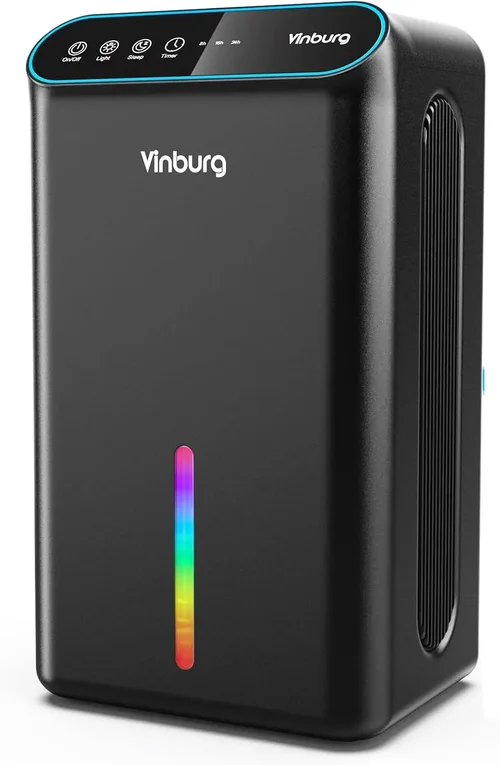
❌ Mistake: Ignoring Room Size and Humidity Level
Why it’s bad: Buying a dehumidifier too small for your space leads to constant running, high energy bills, and inadequate moisture control. Conversely, an oversized unit cycles too frequently, wasting energy and shortening lifespan.
What to do instead: Measure your room in square feet and assess humidity severity. Use a hygrometer to check current levels. Match these to the manufacturer’s recommended coverage area—don’t just go by pint rating alone.
❌ Mistake: Overvaluing “Smart” Features You Won’t Use
Why it’s bad: Paying extra for voice control, IFTTT, or detailed analytics you’ll never touch is a waste of money. Some apps are buggy or require constant logins, adding frustration.
What to do instead: Identify which smart features matter to you (e.g., remote alerts, scheduling). Choose a model that offers those—and only those—to avoid bloat and higher costs.
❌ Mistake: Skipping Energy Efficiency Ratings
Why it’s bad: A dehumidifier can consume 300–700 watts per hour. Over a year, an inefficient model could add $100+ to your electricity bill—erasing any upfront savings.
What to do instead: Always look for ENERGY STAR certification and check the Energy Factor (EF). Compare annual operating costs using the yellow EnergyGuide label.
❌ Mistake: Neglecting Drainage Options
Why it’s bad: If you forget to empty the tank daily, the unit shuts off, humidity rises, and mold can grow. Manual emptying is tedious and easy to overlook.
What to do instead: Opt for a model with continuous drainage via hose connection—especially for basements or unattended use. Ensure the unit has an auto-restart feature after power outages.
❌ Mistake: Choosing Based Solely on Price
Why it’s bad: The cheapest model may use inferior compressors, lack proper insulation, or have unstable apps. You’ll likely replace it sooner, costing more long-term.
What to do instead: View price as one factor among many. Prioritize reliability, warranty, and core performance over initial cost.
❌ Mistake: Not Testing App Compatibility
Why it’s bad: Some smart dehumidifier apps don’t work well with certain routers, iOS versions, or Android devices. You might buy the unit only to find it won’t connect.
What to do instead: Download the app before purchasing. Check system requirements, read user reviews about connectivity issues, and ensure your Wi-Fi supports 2.4 GHz.
❌ Mistake: Overlooking Noise Levels
Why it’s bad: A noisy dehumidifier (above 55 dB) can disrupt sleep, conversations, or work—especially if placed in bedrooms or home offices.
What to do instead: Check decibel ratings and look for “quiet mode” or variable fan speeds. Read user reviews mentioning noise—specs don’t always reflect real-world sound.
Budget Guidelines: How Much Should You Spend?
Entry-Level ($150–$250):
At this price, expect basic smart features—Wi-Fi connectivity, simple app control, and standard humidity sensing. Models like the Tosot 30 Pint Smart Dehumidifier offer solid performance for small spaces but may lack advanced automation or robust build quality. Ideal for renters, college students, or supplemental use in closets. Don’t expect voice control or HEPA filtration here.
Mid-Range ($250–$400):
This is the sweet spot for most buyers. Units like the Frigidaire FFAD7033R1 or GE APER50LY deliver reliable performance, accurate sensors, quiet operation, and full smart integration (Alexa, Google, app scheduling). Tanks are larger (2+ gallons), and many include continuous drainage. ENERGY STAR certification is common, ensuring lower operating costs. Perfect for primary use in basements, living rooms, or medium-sized homes.
Premium ($400–$600):
Here, you gain advanced features: multi-room sync, detailed energy usage reports, HEPA or carbon filters, and superior cold-weather performance. Brands like Midea and Tosot offer models with app-based diagnostics, filter change reminders, and seamless smart home ecosystems. These are built to last 7–10 years with minimal maintenance—ideal for homeowners prioritizing air quality and automation.
Luxury ($600+):
Reserved for whole-home systems or commercial-grade units, these dehumidifiers often require professional installation and ductwork integration. They offer enterprise-level monitoring, predictive maintenance alerts, and compatibility with building management systems. While overkill for most, they’re worth considering for large estates, historic homes, or allergy-sensitive environments.
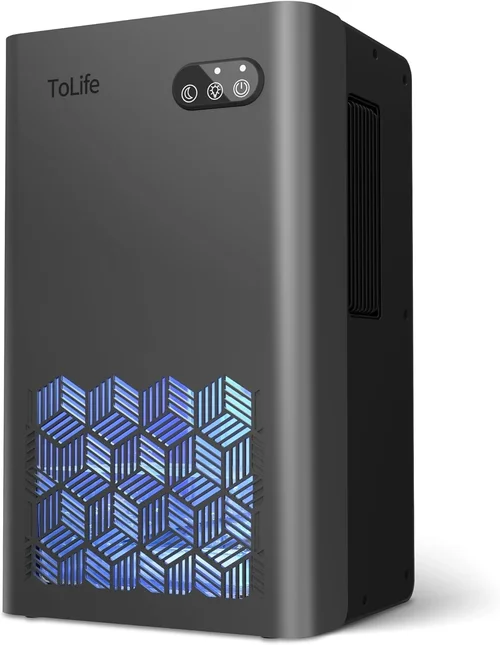
Expert Tips for Getting the Best Deal
– Buy during off-peak seasons: Humidity spikes in summer, so demand—and prices—rise. Shop in late winter or early spring for the best discounts.
– Check retailer return policies: Some stores (like Costco or Best Buy) offer 90-day returns, giving you time to test performance and app stability.
– Bundle with other smart devices: Retailers often discount smart home bundles (e.g., dehumidifier + air purifier + thermostat). Even if you don’t need all items, the total savings can justify the purchase.
– Use price tracking tools: Set alerts on Honey, CamelCamelCamel, or Google Shopping to catch price drops on specific models.
– Consider refurbished or open-box units: Certified refurbished models from manufacturers (not third parties) often come with full warranties and sell for 20–40% less.
– Verify app functionality before buying: Download the brand’s app and read recent reviews. If it’s buggy or lacks updates, the “smart” feature may not work reliably.
– Ask about local rebates: Some utility companies offer rebates for ENERGY STAR dehumidifiers—especially in humid regions like the Southeast.
– Test placement and noise: If buying in-store, ask to see a demo unit. Listen to the fan and compressor. Online? Watch unboxing and review videos on YouTube.
Frequently Asked Questions
Q: Do smart dehumidifiers really save money on energy bills?
A: Yes—if they’re ENERGY STAR certified and properly sized. Smart models optimize runtime based on actual humidity, avoiding unnecessary cycling. Over a year, this can save $30–$80 compared to manual units.
Q: Can I use a smart dehumidifier in a cold basement?
A: Only if it’s rated for low temperatures (below 65°F). Look for “auto-defrost” or “cold climate” models. Standard units may ice up and stop working.
Q: How often do I need to clean the filter?
A: Every 2–4 weeks during heavy use. A clogged filter reduces airflow and efficiency. Most apps send reminders—take them seriously.
Q: Will a smart dehumidifier work without Wi-Fi?
A: Yes, but you lose remote control and automation. The unit will still function manually, just like a traditional dehumidifier.
Q: Can I connect multiple smart dehumidifiers to one app?
A: Some brands (like Frigidaire and GE) allow multi-unit management. Check the app description or contact support before buying.
Q: Are smart dehumidifiers louder than regular ones?
A: Not necessarily. Noise depends on fan design and compressor quality, not smart features. Many smart models are quieter due to variable-speed fans.
Q: Do I need a dedicated circuit for a dehumidifier?
A: Most residential units (under 70 pints) run on standard 120V outlets. However, high-capacity models may require a 20-amp circuit—check the manual.
Q: How long do smart dehumidifiers typically last?
A: With proper maintenance, 7–10 years. Compressor failure is the most common issue—choose brands with longer compressor warranties.
Q: Can I use a smart dehumidifier in an RV or boat?
A: Yes, but ensure it’s compact, energy-efficient, and compatible with inverter power. Look for marine-rated or RV-specific models.
Q: What’s the ideal indoor humidity level?
A: Between 30% and 50%. Below 30% can cause dry skin and static; above 50% promotes mold and dust mites. Smart dehumidifiers maintain this range automatically.
Our Final Recommendations
– Best for Budget-Conscious Buyers: Tosot 30 Pint Smart Dehumidifier ($199) – Reliable Wi-Fi, solid app, and efficient for small spaces. Lacks voice control but delivers core functionality at a great price.
– Best Overall Value: Frigidaire FFAD7033R1 ($349) – 70-pint capacity, ENERGY STAR certified, Alexa/Google compatible, quiet operation, and excellent app integration. Ideal for most homes.
– Best Premium Option: GE APER50LY ($449) – 50-pint smart dehumidifier with advanced sensors, HEPA filter option, multi-room sync, and top-tier build quality. Perfect for tech-savvy homeowners.
– Best for Beginners: Midea MAD50C1ZWS ($279) – Simple setup, intuitive app, and strong performance. Great first smart dehumidifier with minimal learning curve.
– Best for Advanced Users: Tosot 50 Pint Smart Dehumidifier with App Control ($399) – Offers detailed energy reports, IFTTT support, and robust automation. Ideal for smart home enthusiasts who want granular control.
Conclusion: Making the Right Choice
Choosing the best smart dehumidifier isn’t just about picking the shiniest gadget—it’s about aligning technology with your lifestyle, space, and long-term goals. By focusing on performance specs, smart functionality that you’ll actually use, build quality, and real-world reliability, you’ll avoid buyer’s remorse and enjoy years of healthier, more comfortable indoor air.
Remember: the most expensive model isn’t always the best, and the cheapest often costs more in the long run. Prioritize your needs—whether that’s quiet nighttime operation, basement drainage, or seamless Alexa integration—and let those guide your decision. Use this guide as your roadmap, consult user reviews, and don’t rush the process.
Investing in a smart dehumidifier is an investment in your home’s health, your family’s comfort, and your peace of mind. With the right unit, you’ll breathe easier, sleep better, and protect your belongings from moisture damage—all while enjoying the convenience of modern smart home technology. So take the time to choose wisely, and soon you’ll wonder how you ever lived without it.