

Using a dehumidifier near electronics is generally safe and beneficial—when done correctly. While dehumidifiers reduce harmful humidity, improper placement or over-drying can cause static buildup or airflow issues. Learn how to use them wisely to protect your devices.
Key Takeaways
- Dehumidifiers help prevent moisture damage: They reduce humidity levels, protecting electronics from corrosion, short circuits, and mold growth.
- Improper use can cause static electricity: Over-drying the air increases static risk, which may harm sensitive components during handling.
- Placement matters: Keep the dehumidifier at least 3–6 feet away from electronics to avoid direct airflow and vibration interference.
- Monitor humidity levels: Maintain indoor humidity between 30% and 50% for optimal electronics safety and comfort.
- Use a hygrometer: This tool helps track humidity in real time, ensuring your dehumidifier isn’t overworking the environment.
- Choose the right dehumidifier: Opt for energy-efficient, quiet models with auto-humidistats for consistent, safe operation.
- Regular maintenance is key: Clean filters and empty water tanks to prevent mold and ensure efficient performance.
Quick Answers to Common Questions
Can a dehumidifier cause static electricity?
Yes, if it reduces humidity below 30%, dry air increases static buildup. This can lead to static discharge when touching electronics, potentially damaging sensitive components.
Should I run a dehumidifier near my computer?
Yes, but keep it at least 3–6 feet away. Monitor humidity with a hygrometer and avoid direct airflow to prevent dust disturbance or static risks.
Can mold from a dehumidifier harm electronics?
Yes, if the unit isn’t cleaned regularly, mold can grow in the tank and release spores. These can settle on devices and cause damage over time.
Is it safe to use a dehumidifier in a server room?
Yes, but use a commercial-grade model with precise humidity control. Maintain 40–50% humidity and ensure proper ventilation to protect servers.
How often should I clean my dehumidifier?
Empty the water tank daily and clean the air filter monthly. Deep clean the unit every 3–6 months to prevent mold and maintain efficiency.
📑 Table of Contents
- Can a Dehumidifier Damage Electronics? The Truth You Need to Know
- How Humidity Affects Electronics
- How Dehumidifiers Work and Their Role in Protecting Electronics
- Can a Dehumidifier Actually Damage Electronics?
- Best Practices for Using a Dehumidifier Around Electronics
- Real-World Examples: When Dehumidifiers Help and When They Don’t
- Choosing the Right Dehumidifier for Electronics Protection
- Conclusion: Safe, Smart Use Protects Your Tech
Can a Dehumidifier Damage Electronics? The Truth You Need to Know
If you’ve ever walked into a room that feels damp, sticky, or smells musty, you know how uncomfortable high humidity can be. But did you know it’s not just your comfort at stake? Your electronics—laptops, TVs, gaming consoles, and even smart home devices—are also at risk. Moisture in the air can silently damage internal components, leading to costly repairs or replacements. That’s where dehumidifiers come in. These handy appliances pull excess moisture from the air, creating a drier, healthier environment.
But here’s the question many people ask: Can a dehumidifier damage electronics? It’s a valid concern. After all, you’re introducing a machine that alters the air around your devices. The short answer? When used correctly, a dehumidifier is more likely to protect your electronics than harm them. However, like any appliance, it can cause problems if misused. Understanding how dehumidifiers work, how they interact with electronics, and how to use them safely is essential for anyone who values their tech.
In this guide, we’ll explore the relationship between dehumidifiers and electronics in detail. You’ll learn how humidity affects your devices, the benefits of using a dehumidifier, potential risks, and practical tips to keep your electronics safe. Whether you live in a humid climate, have a home office full of gadgets, or just want to extend the life of your tech, this article will give you the knowledge you need to make smart decisions.
How Humidity Affects Electronics
Visual guide about Can a Dehumidifier Damage Electronics
Image source: micro-dehumidifier.com
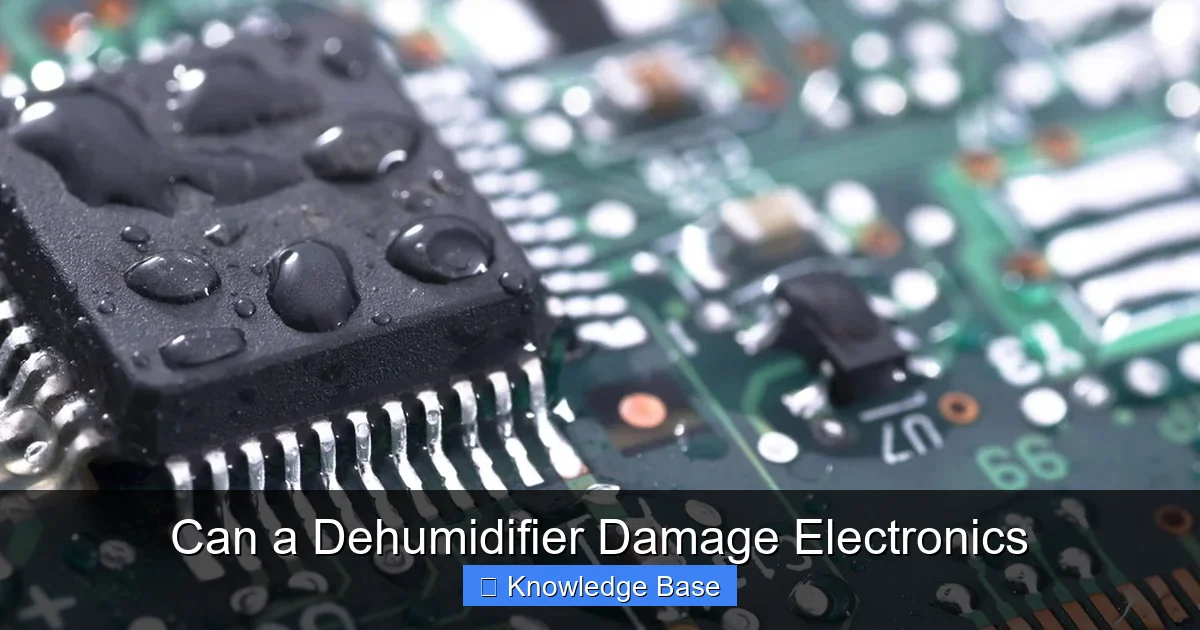
Before we dive into whether dehumidifiers can damage electronics, it’s important to understand why humidity matters in the first place. Electronics are designed to operate within specific environmental conditions. When humidity levels are too high or too low, problems can arise.
High humidity—typically above 60%—creates a breeding ground for moisture-related damage. Water vapor in the air can condense on cold surfaces, including circuit boards and metal components inside devices. This condensation can lead to corrosion, short circuits, and even permanent failure. For example, a laptop left in a damp basement might develop rust on its internal wiring, causing it to malfunction. Similarly, a TV exposed to steam from a bathroom or kitchen can suffer from moisture buildup behind the screen or in the power supply.
But it’s not just condensation you need to worry about. High humidity also encourages mold and mildew growth. These fungi can thrive in dark, damp areas like inside computer cases or behind wall-mounted electronics. Over time, mold can degrade insulation, clog vents, and even release harmful spores into the air. In extreme cases, mold can eat through plastic components, causing irreversible damage.
On the flip side, extremely low humidity—below 30%—can also be problematic. Dry air increases the risk of static electricity. When you touch a metal part of a device, a sudden static discharge (ESD) can fry sensitive microchips. This is especially dangerous during repairs or upgrades when components are exposed. For instance, building a PC in a dry, carpeted room without an anti-static wristband can lead to accidental damage.
So, the ideal humidity range for electronics is between 30% and 50%. This balance minimizes both moisture damage and static risk. That’s where dehumidifiers come in—they help maintain this sweet spot by removing excess moisture from the air.
How Dehumidifiers Work and Their Role in Protecting Electronics

Visual guide about Can a Dehumidifier Damage Electronics
Image source: evaporativehumidifiers.com
Dehumidifiers are appliances designed to reduce indoor humidity levels. They work by drawing in moist air, removing the water vapor, and releasing drier air back into the room. There are two main types: refrigerant (compressor-based) and desiccant dehumidifiers. Refrigerant models are the most common and work similarly to air conditioners—cooling the air to condense moisture, then reheating it before releasing it. Desiccant models use a moisture-absorbing material (like silica gel) and are better suited for colder environments.
When used properly, dehumidifiers can be a powerful tool for protecting electronics. By keeping humidity in the ideal 30–50% range, they prevent condensation, slow corrosion, and reduce the risk of mold growth. This is especially important in areas prone to high humidity, such as basements, garages, or coastal homes.
For example, imagine you have a home theater system in your basement. Basements are notorious for dampness, and without proper humidity control, your projector, speakers, and gaming console could be at risk. Running a dehumidifier in that space can significantly extend the life of your equipment. Similarly, if you store vintage electronics, cameras, or musical instruments, a dehumidifier can help preserve them for years.
But here’s the catch: dehumidifiers aren’t magic. They don’t eliminate all risks, and they can cause issues if not used correctly. The key is balance. You want to reduce humidity, but not overdo it. Over-drying the air can lead to static buildup, which brings us to the next point.
Can a Dehumidifier Actually Damage Electronics?
Now, let’s address the main question: Can a dehumidifier damage electronics? The answer is nuanced. In most cases, no—dehumidifiers don’t directly damage electronics. In fact, they’re more likely to help. However, there are scenarios where improper use can lead to problems.
One potential risk is over-drying the air. If a dehumidifier runs continuously and reduces humidity below 30%, the air becomes very dry. This increases the likelihood of static electricity buildup. Static discharge can occur when you touch a metal part of a device, especially if you’re not grounded. For sensitive components like RAM, CPUs, or circuit boards, even a small static shock can cause permanent damage.
Another concern is airflow. Some dehumidifiers blow air forcefully as part of their operation. If placed too close to electronics, this airflow can stir up dust or push moisture-laden air toward devices. Additionally, the vibration from a running dehumidifier might affect delicate equipment, especially if it’s on the same surface.
There’s also the issue of condensation. If you turn off a dehumidifier abruptly after it’s been running in a cold room, the sudden temperature change can cause moisture to condense on nearby surfaces—including electronics. This is more common in winter or in unheated spaces like garages.
Finally, some older or poorly maintained dehumidifiers can develop mold or mildew inside their tanks or filters. If these contaminants are released into the air, they could settle on electronics and cause damage over time.
So, while dehumidifiers themselves don’t typically damage electronics, user error or poor maintenance can create conditions that do. The good news? These risks are easily avoidable with the right precautions.
Best Practices for Using a Dehumidifier Around Electronics
To get the benefits of a dehumidifier without risking your electronics, follow these best practices:
1. Maintain Ideal Humidity Levels
Use a hygrometer—a small, affordable device that measures humidity—to monitor the air in your space. Aim to keep humidity between 30% and 50%. If it drops below 30%, consider reducing the dehumidifier’s runtime or using a model with an auto-humidistat that shuts off when the target is reached.
2. Place the Dehumidifier Strategically
Keep the dehumidifier at least 3 to 6 feet away from electronics. Avoid placing it directly in front of vents, speakers, or sensitive equipment. This prevents direct airflow and reduces the risk of vibration or dust disturbance.
3. Use a Timer or Smart Features
Many modern dehumidifiers come with timers or smart controls. Set it to run during peak humidity times (like after showering or cooking) and turn off when not needed. This prevents over-drying and saves energy.
4. Clean and Maintain Regularly
Empty the water tank daily or as recommended. Clean the air filter monthly to prevent mold and ensure efficient operation. A dirty filter reduces performance and can release contaminants into the air.
5. Avoid Sudden Changes
Don’t turn the dehumidifier on and off rapidly, especially in cold environments. Gradual changes help prevent condensation on nearby surfaces. If you’re using it in a garage or basement, consider insulating the space to reduce temperature swings.
6. Use Anti-Static Precautions
If you’re working on electronics in a dry environment, use an anti-static wristband or mat. This grounds you and prevents static discharge from damaging components.
7. Consider a Whole-House Dehumidifier
For larger homes or multiple electronics-heavy rooms, a whole-house dehumidifier integrated with your HVAC system can provide consistent, balanced humidity control without the need for multiple units.
Real-World Examples: When Dehumidifiers Help and When They Don’t
Let’s look at a few real-world scenarios to illustrate how dehumidifiers can help or harm electronics.
Example 1: The Home Office in a Humid Climate
Sarah lives in Florida, where humidity often exceeds 70%. Her home office houses a desktop computer, printer, and multiple monitors. After noticing her printer jamming frequently and her computer overheating, she bought a dehumidifier. Within weeks, the issues stopped. The dehumidifier kept humidity at 45%, preventing moisture buildup and improving airflow. Her electronics now run smoother and last longer.
Example 2: The Overzealous Dehumidifier
Mike set up a dehumidifier in his basement workshop to protect his vintage guitar amplifiers. He didn’t monitor humidity and left it running 24/7. After a month, he noticed static shocks when touching his gear. Testing revealed humidity had dropped to 25%. The dry air caused static buildup, which damaged a tube in one of his amps. After adjusting the settings and using a hygrometer, he restored balance and prevented further damage.
Example 3: The Moldy Dehumidifier
Lisa used a dehumidifier in her bedroom to protect her laptop and smart TV. She rarely cleaned it. Over time, mold grew in the water tank. One day, she noticed a musty smell and saw black spots near her TV. The mold spores had settled on the screen and vents. After cleaning the dehumidifier and wiping down her devices, the problem resolved. Regular maintenance would have prevented it.
These examples show that dehumidifiers are powerful tools—but only when used wisely.
Choosing the Right Dehumidifier for Electronics Protection
Not all dehumidifiers are created equal. When shopping for one to protect electronics, consider these features:
Size and Capacity
Choose a model rated for the square footage of your space. A unit too small won’t be effective; one too large may cycle on and off too frequently, causing humidity swings.
Auto-Humidistat
This feature automatically turns the dehumidifier on and off to maintain your desired humidity level. It prevents over-drying and saves energy.
Quiet Operation
If the dehumidifier will be near your workspace, look for a quiet model (under 50 decibels) to avoid distractions.
Energy Efficiency
Check the Energy Star rating. Efficient models cost less to run and are better for the environment.
Drainage Options
Some models offer continuous drainage via a hose, eliminating the need to empty a tank. This is ideal for basements or unattended spaces.
Air Filter
A washable or replaceable filter helps trap dust and allergens, improving air quality around your electronics.
Popular brands like Frigidaire, hOmeLabs, and GE offer reliable models with these features. Read reviews and compare specs to find the best fit for your needs.
Conclusion: Safe, Smart Use Protects Your Tech
So, can a dehumidifier damage electronics? The answer is: only if you use it incorrectly. When operated with care and attention, a dehumidifier is one of the best tools you can use to protect your devices from moisture damage. It helps prevent corrosion, mold, and short circuits—extending the life of your electronics and saving you money in the long run.
The key is balance. Don’t let humidity get too high, but don’t let it drop too low either. Use a hygrometer, place the dehumidifier wisely, and maintain it regularly. With these simple steps, you can enjoy the benefits of a drier, healthier environment without risking your valuable tech.
Remember, your electronics are an investment. Protecting them isn’t just about buying surge protectors or cases—it’s also about controlling the environment they live in. A dehumidifier, when used properly, is a quiet guardian that works behind the scenes to keep your devices safe, functional, and ready to use.
So go ahead—set up that dehumidifier. Just do it smartly. Your laptop, TV, and gaming console will thank you.
Frequently Asked Questions
Can a dehumidifier damage electronics?
A dehumidifier won’t damage electronics when used correctly. However, over-drying the air or poor maintenance can increase static risk or mold growth, which may harm devices.
What humidity level is safe for electronics?
The ideal humidity range for electronics is between 30% and 50%. This prevents both moisture damage and static electricity buildup.
Can I place a dehumidifier next to my TV?
It’s best to keep the dehumidifier at least 3–6 feet away from your TV. Direct airflow or vibration could disturb the device or stir up dust.
Do dehumidifiers help prevent laptop overheating?
Yes, by reducing humidity, dehumidifiers help prevent moisture-related issues that can block vents or cause internal corrosion, indirectly supporting better airflow and cooling.
Can a dehumidifier protect my gaming console?
Absolutely. Keeping humidity in check prevents condensation and corrosion inside the console, helping it run smoothly and last longer.
Should I use a dehumidifier in my home office?
Yes, especially if you live in a humid area. A dehumidifier protects computers, printers, and other office electronics from moisture damage and improves air quality.