

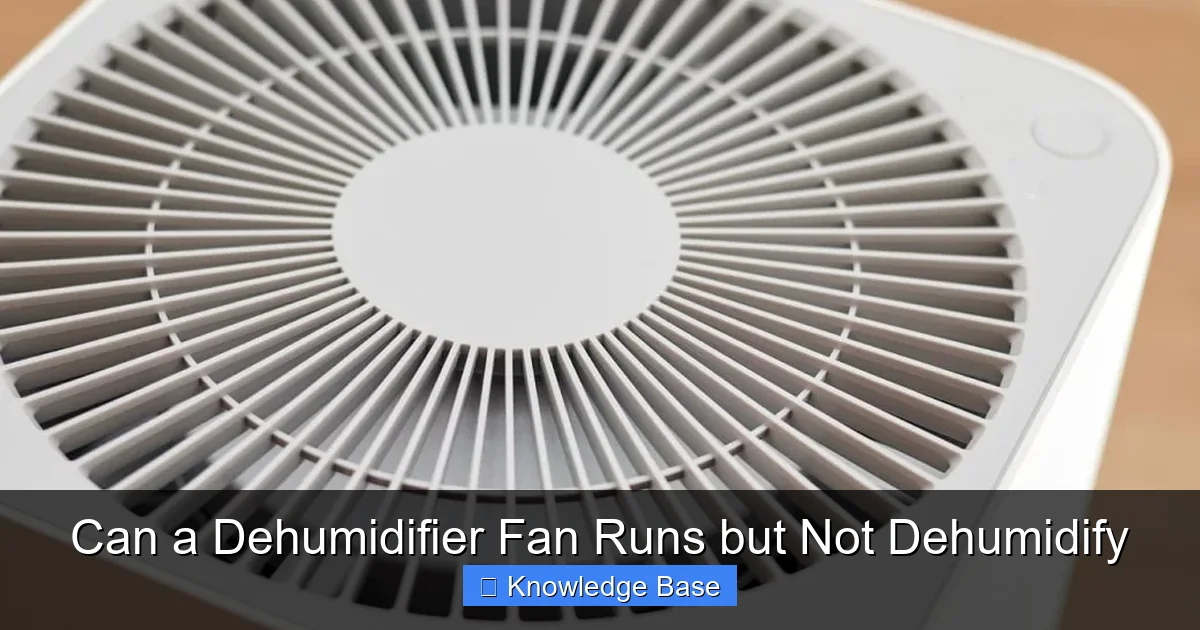
If your dehumidifier’s fan is running but it’s not removing moisture, the issue likely lies with the refrigeration system, airflow, or controls—not the fan itself. This common problem can often be resolved with simple checks like cleaning filters, inspecting the coils, or resetting the unit.
You walk into your basement, and something feels off. The air is still thick and muggy, but you hear the familiar hum of your dehumidifier. You check it—the fan is spinning, lights are on, but no water is collecting in the tank. Sound familiar? You’re not alone. Many homeowners face this frustrating scenario: a dehumidifier fan runs but not dehumidify. It’s like having a car engine turn over but not start—something’s clearly wrong, but where do you begin?
Dehumidifiers are essential for maintaining healthy indoor air quality, preventing mold, protecting furniture, and reducing allergens. When they stop working properly, especially when the fan runs but moisture isn’t being removed, it can feel like a mystery. But here’s the good news: most of the time, the cause is identifiable and often fixable. Understanding how your dehumidifier works—and why the fan might run independently of the dehumidifying function—is the first step toward solving the problem.
In this guide, we’ll walk you through the most common reasons why your dehumidifier fan runs but not dehumidify, how to diagnose the issue, and what you can do to get your unit back to full performance. Whether you’re dealing with frozen coils, a clogged filter, or a refrigerant leak, we’ve got practical solutions and expert tips to help you troubleshoot like a pro.
Key Takeaways
- The fan and dehumidifying function are separate systems: A running fan doesn’t guarantee moisture removal—both must work together.
- Frozen coils are a top culprit: Poor airflow or low refrigerant can cause ice buildup, blocking moisture collection.
- Dirty air filters restrict airflow: Clogged filters reduce efficiency and can trigger safety shutoffs.
- Refrigerant leaks halt dehumidification: Without proper refrigerant levels, the unit can’t cool coils to condense water.
- Humidity settings matter: If the set humidity is too high, the unit may stop dehumidifying even if the fan runs.
- Drainage issues can cause shutdowns: A full bucket or clogged hose may disable dehumidification while allowing the fan to spin.
- Professional help may be needed: Electrical or compressor problems often require a technician.
Quick Answers to Common Questions
Why is my dehumidifier fan running but not collecting water?
The fan may run while the dehumidifying function is disabled due to frozen coils, a clogged filter, or a full water tank. Check these components first.
Can a dirty filter stop a dehumidifier from working?
Yes. A dirty filter restricts airflow, which can cause coils to freeze or trigger safety shutoffs, preventing moisture removal.
How do I know if my dehumidifier has a refrigerant leak?
Signs include no cooling of the coils, hissing sounds, or ice that doesn’t melt. A professional should confirm and repair leaks.
Should I run my dehumidifier in cold basements?
Only if it’s rated for low temperatures. Most units work best above 65°F. Use a low-temp model or move it to a warmer area.
How often should I clean my dehumidifier filter?
Clean the filter every 4–6 weeks during heavy use, or monthly if you notice reduced airflow or performance.
📑 Table of Contents
How a Dehumidifier Works: The Basics
Before diving into troubleshooting, it helps to understand how a dehumidifier actually removes moisture from the air. Most home dehumidifiers use a refrigeration-based system, similar to an air conditioner. Here’s a simplified breakdown of the process:
Warm, humid air is drawn into the unit by the fan. This air passes over cold evaporator coils, where moisture condenses into water droplets. The water drips into a collection tank or is drained through a hose. Meanwhile, the now-drier air passes over warm condenser coils, reheats slightly, and is blown back into the room. The refrigeration cycle—powered by a compressor and refrigerant—is what makes this cooling and reheating possible.
The fan plays a critical role in this process. It ensures continuous airflow across the coils, which is essential for condensation to occur. However, the fan is just one part of the system. The actual dehumidification happens because of the temperature difference created by the refrigerant cycle. If that cycle is interrupted—due to a frozen coil, low refrigerant, or a faulty compressor—the fan may still run, but no moisture will be removed.
Think of it like a refrigerator: the fan inside helps circulate cool air, but if the compressor isn’t working, the fridge won’t get cold, even if the fan spins. The same logic applies to dehumidifiers. Just because the fan is running doesn’t mean the dehumidifying function is active.
Common Causes: Why the Fan Runs but No Moisture Is Removed
Visual guide about Can a Dehumidifier Fan Runs but Not Dehumidify
Image source: appliancesdirect.co.uk
When your dehumidifier fan runs but not dehumidify, the root cause is usually related to the refrigeration system, airflow, or control settings. Let’s explore the most frequent culprits.
Frozen Evaporator Coils
One of the most common reasons for this issue is frozen evaporator coils. When the coils get too cold—often due to restricted airflow or low ambient temperature—moisture in the air freezes on them instead of dripping into the tank. This ice buildup acts as an insulator, preventing further cooling and stopping the dehumidification process.
You might notice reduced airflow, a buildup of ice on the coils (visible through the front grille or by removing the cover), or the unit shutting off unexpectedly. In some models, a defrost cycle will automatically kick in, but if it’s not working properly, the coils remain frozen.
This often happens in cooler environments, like basements in winter, where temperatures drop below 65°F (18°C). Dehumidifiers are designed to work best in warmer, humid conditions. If the room is too cold, the coils can freeze even with normal operation.
Dirty or Clogged Air Filters
The air filter in your dehumidifier captures dust, pet dander, and other particles to protect the internal components. Over time, this filter can become clogged, especially in dusty environments or if the unit runs frequently.
When the filter is dirty, airflow is restricted. Less air passes over the coils, which reduces the unit’s ability to cool and condense moisture. In severe cases, the reduced airflow can cause the coils to freeze or trigger a safety shutoff that disables the compressor while allowing the fan to continue running.
Check your filter every 4–6 weeks during heavy use. A clean filter ensures optimal airflow and prevents unnecessary strain on the system.
Refrigerant Leak or Low Charge
Refrigerant is the lifeblood of the dehumidification process. It absorbs heat from the air as it evaporates in the coils, creating the cold surface needed for condensation. If there’s a leak in the system or the refrigerant level is low, the coils won’t get cold enough to remove moisture.
Signs of a refrigerant issue include:
– The unit runs but never collects water
– The coils feel only slightly cool or warm
– Hissing or gurgling sounds from the unit
– Ice buildup that doesn’t melt during defrost cycles
Refrigerant problems are not DIY fixes. Handling refrigerant requires EPA certification and specialized tools. If you suspect a leak, it’s best to contact a qualified HVAC technician.
Faulty Humidity Sensor or Control Board
Modern dehumidifiers use humidity sensors to monitor room moisture levels and adjust operation accordingly. If the sensor is dirty, misaligned, or malfunctioning, it may incorrectly read the humidity level and shut off the dehumidifying function prematurely.
For example, if the sensor thinks the air is already dry (even when it’s not), the unit will stop removing moisture but may keep the fan running to circulate air. This is especially common in units with digital controls.
Similarly, a faulty control board can send incorrect signals, causing the compressor to stop while the fan continues. These electrical issues often require professional diagnosis and repair.
Drainage Problems or Full Water Tank
Most dehumidifiers have a float switch that detects when the water tank is full. When the tank reaches capacity, the switch triggers a safety shutoff to prevent overflow. This shutoff typically disables the compressor and dehumidifying function but may leave the fan running to alert you.
Check the tank regularly. If it’s full, empty it and restart the unit. Also, inspect the drain hose (if used) for kinks, clogs, or improper placement. A blocked hose can cause water to back up and trigger the same safety mechanism.
Some models also have a “pump” feature for continuous drainage. If the pump fails, the unit may stop dehumidifying even if the tank isn’t full.
Step-by-Step Troubleshooting Guide

Visual guide about Can a Dehumidifier Fan Runs but Not Dehumidify
Image source: essentialhomeandgarden.com
Now that you know the common causes, let’s walk through a practical troubleshooting process. Follow these steps in order to identify and resolve the issue.
Step 1: Check the Water Tank and Drainage
Start simple. Is the water tank full? Remove it and empty it. Look for cracks or damage. Reinstall it securely and restart the unit. If your model uses a drain hose, ensure it’s not clogged or kinked. Place the hose in a floor drain or bucket with a slight downward slope to allow gravity drainage.
If the unit still doesn’t dehumidify, move to the next step.
Step 2: Inspect and Clean the Air Filter
Turn off and unplug the dehumidifier. Locate the air filter—usually behind a front or side panel. Remove it and inspect for dust and debris. If it’s dirty, wash it with warm water and mild soap. Let it dry completely before reinstalling.
Never run the unit with a wet filter, as this can damage the motor or cause mold growth.
Step 3: Examine the Coils for Ice or Dirt
With the unit off, look through the air intake grille or remove the front cover (if accessible). Check the evaporator coils for ice buildup. If you see frost or ice, the unit may be operating in a cold environment or have restricted airflow.
Let the unit sit unplugged for 4–6 hours to allow the ice to melt naturally. Avoid using tools to chip away ice, as this can damage the coils.
Also, check for dirt or debris on the coils. Use a soft brush or vacuum with a brush attachment to gently clean them. Dirty coils reduce heat transfer and can cause freezing.
Step 4: Verify the Humidity Setting
Check the control panel. Is the humidity set too high? For example, if the room humidity is 60% but the unit is set to 55%, it may stop dehumidifying even if the fan runs.
Lower the setting to 45–50% and wait 24 hours to see if water begins collecting. Avoid setting it too low (below 40%), as this can cause overcooling and coil freezing.
Step 5: Test in a Warmer Environment
If you’re using the dehumidifier in a cold basement or garage, try moving it to a warmer room (above 65°F) for a few hours. This can help determine if low temperature is causing coil freezing.
Some dehumidifiers have a “low-temp” or “auto-defrost” mode designed for cooler environments. Enable this feature if available.
Step 6: Listen for Unusual Sounds
Turn the unit back on and listen carefully. A healthy dehumidifier should have a steady hum from the fan and a low compressor sound. If you hear clicking, buzzing, or no compressor noise at all, there may be an electrical issue.
A clicking sound could indicate a failing compressor or relay. No sound at all might mean a blown fuse or tripped breaker.
Step 7: Reset the Unit
Many dehumidifiers have a reset button or can be reset by unplugging them for 5–10 minutes. This clears temporary errors and restarts the control system.
After resetting, plug the unit back in and monitor it for 24 hours.
When to Call a Professional
While many issues can be resolved with basic maintenance, some problems require expert attention. Here’s when it’s time to call a technician:
– You suspect a refrigerant leak (hissing sounds, oily residue near coils)
– The compressor won’t start or makes loud grinding noises
– The control board shows error codes you can’t resolve
– The unit has been repaired multiple times and keeps failing
– You’re uncomfortable handling electrical components
Attempting to repair refrigerant systems or compressors without proper training can be dangerous and may void your warranty. Always consult the manufacturer’s guidelines and consider professional service for complex issues.
Preventive Maintenance Tips
The best way to avoid a dehumidifier fan running but not dehumidify is to keep your unit in good working order. Follow these maintenance tips:
Clean the Filter Monthly
Even if it doesn’t look dirty, wash the filter every month during peak usage. This ensures consistent airflow and prevents coil freezing.
Wipe Down the Exterior and Tank
Use a damp cloth to clean the outside of the unit and the water tank. This prevents mold and bacteria growth, especially in humid environments.
Check Coils and Vents Quarterly
Inspect the coils and air vents for dust buildup. Use a vacuum or soft brush to clean them. Keep the area around the dehumidifier clear—don’t block intake or exhaust vents.
Use a Drain Hose for Continuous Operation
If your unit supports it, connect a drain hose to eliminate the need to empty the tank. This reduces the risk of overflow and safety shutoffs.
Store Properly During Off-Seasons
If you don’t use your dehumidifier in winter, clean it thoroughly, remove the tank, and store it in a dry place. Cover it to prevent dust accumulation.
Choosing the Right Dehumidifier for Your Space
Sometimes, the issue isn’t the unit—it’s the match between the dehumidifier and the environment. A unit that’s too small for the space will struggle to remove moisture, while one that’s too large may cycle too frequently and freeze.
Consider these factors when selecting a dehumidifier:
– **Room size:** Measure square footage and choose a unit rated for that space.
– **Humidity level:** Basements and crawl spaces often need higher-capacity units (50–70 pints/day).
– **Temperature range:** Look for models with auto-defrost or low-temp operation if used in cool areas.
– **Energy efficiency:** Check the Energy Star rating to save on electricity.
Investing in the right unit from the start can prevent many performance issues down the road.
Conclusion
A dehumidifier fan running but not dehumidify is a common but solvable problem. In most cases, the issue stems from frozen coils, clogged filters, drainage problems, or incorrect settings—not a broken fan. By understanding how your dehumidifier works and following a systematic troubleshooting approach, you can often restore full functionality without costly repairs.
Regular maintenance is your best defense. Clean the filter, check the coils, empty the tank, and ensure proper airflow. If simple fixes don’t work, don’t hesitate to consult a professional—especially for refrigerant or electrical issues.
Remember, a dehumidifier is more than just a fan with a water tank. It’s a precision appliance designed to improve your home’s air quality and protect your property. Treat it well, and it will serve you reliably for years to come.
Frequently Asked Questions
Can a dehumidifier run without collecting water?
Yes, if the refrigeration system isn’t working properly. The fan may still run to circulate air, but no moisture will be removed.
Why does my dehumidifier shut off after a few minutes?
This could be due to a full tank, frozen coils, or a faulty sensor. Check the water level and inspect for ice buildup.
Is it normal for dehumidifier coils to freeze?
Occasional light frost is normal in cold environments, but heavy ice buildup indicates a problem like restricted airflow or low refrigerant.
Can I fix a refrigerant leak myself?
No. Handling refrigerant requires EPA certification and specialized equipment. Always hire a licensed technician.
Why won’t my dehumidifier turn on at all?
Check the power source, circuit breaker, and fuse. If those are fine, the issue may be a faulty control board or compressor.
How long should a dehumidifier run per day?
Most units run 8–12 hours daily, depending on humidity levels. Use a humidistat to automate operation and save energy.