

Ensuring your dehumidifier is safe is essential for protecting your home and family. This guide walks you through simple checks for electrical safety, proper maintenance, and early warning signs of malfunction. Follow these steps to keep your unit running efficiently and safely year-round.
Quick Answers to Common Questions
Tip/Question?
How often should I clean my dehumidifier’s filter?
Clean the filter at least once a month. If you have pets or live in a dusty area, check it every two weeks.
Tip/Question?
Can I use my dehumidifier in a bathroom?
Yes, but only if it’s designed for high-moisture areas. Ensure the bathroom has ventilation and avoid placing it near water sources.
Tip/Question?
Is it safe to leave a dehumidifier on overnight?
Yes, as long as it’s in good condition and placed safely. Modern units have auto-shutoff and overheat protection.
Tip/Question?
What should I do if my dehumidifier smells like mildew?
Clean the water tank, filter, and coils with vinegar. Let all parts dry completely before reassembling.
Tip/Question?
Can a dehumidifier cause a fire?
It’s rare, but possible if the unit is old, damaged, or poorly maintained. Regular safety checks greatly reduce this risk.
How to Check If Your Dehumidifier Is Safe
A dehumidifier is a valuable appliance that helps control indoor humidity, prevent mold growth, and improve air quality. But like any electrical device, it can pose safety risks if not properly maintained or used. Whether you’ve owned your dehumidifier for years or just bought a new one, it’s important to regularly check if it’s operating safely.
In this guide, you’ll learn how to inspect your dehumidifier for potential hazards, perform routine maintenance, and recognize warning signs that something might be wrong. We’ll cover electrical safety, cleaning procedures, proper placement, and when it’s time to replace your unit. By following these steps, you’ll ensure your dehumidifier runs efficiently and safely, protecting both your home and your health.
Let’s dive in.
Why Dehumidifier Safety Matters
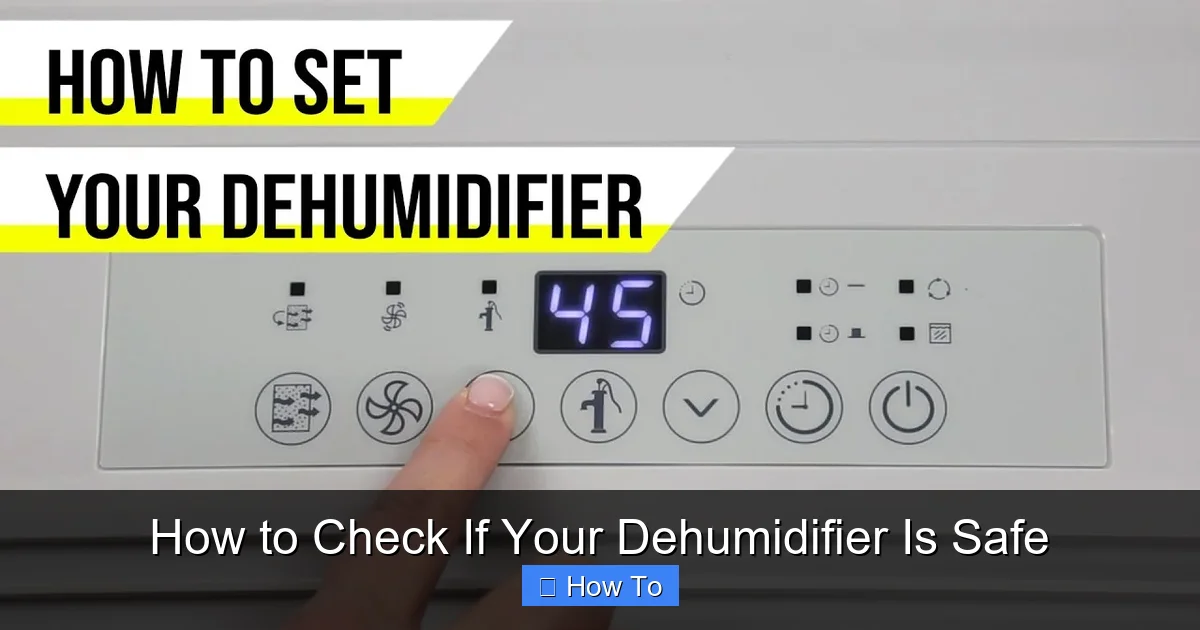
Visual guide about How to Check If Your Dehumidifier Is Safe
Image source: i.ytimg.com
Dehumidifiers work by pulling moist air from your home, cooling it to remove water, and then releasing dry air back into the room. While this process is generally safe, several factors can turn a helpful appliance into a hazard.
Electrical malfunctions, overheating, water leaks, and poor ventilation are common issues that can lead to fire, electric shock, or mold growth. According to the U.S. Consumer Product Safety Commission (CPSC), thousands of dehumidifier-related fires have been reported over the past decade, many involving older models or units with faulty compressors.
Additionally, a poorly maintained dehumidifier can become a breeding ground for bacteria and mold, especially if the water tank isn’t cleaned regularly. This can worsen indoor air quality and trigger allergies or respiratory issues.
That’s why regular safety checks are essential. A few minutes of inspection each month can prevent costly repairs, health problems, or even dangerous incidents.
Step 1: Inspect the Power Cord and Plug
The power cord and plug are the first line of defense against electrical hazards. A damaged cord can cause short circuits, electric shocks, or fires.
Check for Visible Damage
Unplug the dehumidifier and examine the power cord from plug to unit. Look for:
– Fraying or exposed wires
– Cracks or splits in the insulation
– Burn marks or discoloration
– Kinks or bends that weaken the wire
If you see any of these signs, stop using the unit immediately. Even minor damage can worsen over time and become dangerous.
Test the Plug
Inspect the plug itself. Make sure it fits snugly into the outlet and isn’t loose or wobbly. A loose connection can cause arcing, which generates heat and increases fire risk.
Also, check that the plug has three prongs (including a grounding pin). Two-prong plugs are outdated and don’t provide the same level of protection.
Avoid Extension Cords
Never plug your dehumidifier into an extension cord or power strip. These devices aren’t designed to handle the high current draw of a dehumidifier, especially during startup. Overloading an extension cord can cause overheating and fire.
Instead, plug the unit directly into a grounded wall outlet. If the outlet is too far, consider relocating the dehumidifier or having an electrician install a new outlet.
Step 2: Listen for Unusual Noises
Your dehumidifier should run quietly with a gentle hum. Any sudden or unusual sounds could indicate a mechanical problem.
Common Warning Sounds
– Buzzing or humming loudly: May signal a failing compressor or electrical issue.
– Grinding or rattling: Could mean loose parts, a damaged fan, or debris inside the unit.
– Clicking repeatedly: Might indicate a relay problem or thermostat malfunction.
– Squealing or screeching: Often points to a worn motor bearing or belt.
If you hear any of these noises, turn off the dehumidifier and unplug it. Continuing to use a noisy unit can lead to further damage or safety risks.
What to Do Next
First, check if anything is blocking the fan or air intake. Sometimes, dust or small objects can cause noise. If the sound persists after cleaning, contact the manufacturer or a qualified technician. Don’t attempt to open the unit yourself—dehumidifiers contain refrigerants and high-voltage components that require professional handling.
Step 3: Smell for Burning or Musty Odors
Your nose can be a powerful tool for detecting problems. Unusual smells often appear before visible damage.
Burning Smell
A burning odor is a red flag. It could mean:
– Overheating motor or compressor
– Electrical short circuit
– Burnt insulation or wiring
If you smell burning, unplug the dehumidifier immediately and move it to a safe, well-ventilated area. Do not use it again until it’s inspected by a professional.
Musty or Moldy Smell
A damp, earthy smell suggests mold or mildew inside the unit. This usually happens when the water tank, filter, or coils aren’t cleaned regularly.
Mold growth not only reduces air quality but can also clog the system, causing the dehumidifier to overwork and overheat.
How to Fix It
Clean the water tank with a mixture of water and white vinegar. Scrub the filter and rinse it thoroughly. Use a soft brush to clean the evaporator and condenser coils. Let all parts dry completely before reassembling.
If the smell returns after cleaning, there may be hidden mold inside the unit. In that case, consider replacing it, especially if it’s more than 5–7 years old.
Step 4: Check the Water Tank and Drainage System
The water tank collects moisture pulled from the air. If it overflows or leaks, it can damage floors, promote mold, or cause electrical hazards.
Inspect the Tank
Remove the water tank and look for:
– Cracks or warping
– Mineral buildup or residue
– Signs of mold or algae
Clean the tank weekly with warm, soapy water. For stubborn stains, use a solution of 1 part vinegar to 3 parts water. Rinse well and dry completely.
Test the Float Switch
The float switch is a small mechanism that shuts off the dehumidifier when the tank is full. To test it:
1. Fill the tank halfway with water.
2. Reinstall it and turn on the unit.
3. The dehumidifier should stop running within a few minutes.
If it doesn’t stop, the float switch may be stuck or broken. This can lead to overflow and water damage.
Use a Drain Hose (If Applicable)
Many dehumidifiers have a continuous drainage option. If yours does, connect a hose to the drain port and route it to a floor drain or sump pump.
Make sure the hose is:
– Securely attached
– Sloped downward (no loops or kinks)
– Clean and free of clogs
A clogged drain hose can cause water to back up into the unit, leading to leaks or electrical issues.
Step 5: Clean the Air Filter and Coils
Dirty filters and coils reduce efficiency and increase the risk of overheating.
Clean the Air Filter
Most dehumidifiers have a removable air filter. Check your user manual for the location.
To clean it:
1. Remove the filter.
2. Vacuum loose dust with a brush attachment.
3. Rinse under warm water (if washable).
4. Let it air dry completely before reinstalling.
Replace the filter every 6–12 months, or sooner if it’s visibly dirty.
Clean the Coils
The evaporator and condenser coils can collect dust and debris over time. This insulates the coils, making them less efficient and causing the compressor to work harder.
To clean the coils:
1. Unplug the dehumidifier and remove the front or side panel (if accessible).
2. Use a soft brush or coil cleaner spray to remove dust.
3. Avoid using water directly on the coils unless specified by the manufacturer.
Never use compressed air, as it can damage delicate fins.
Frequency
Clean the filter monthly and the coils every 3–6 months, depending on usage and air quality.
Step 6: Ensure Proper Ventilation and Placement
Dehumidifiers need space to breathe. Blocked airflow can cause overheating and reduce performance.
Clear the Area
Keep at least 6–12 inches of space around all sides of the unit. Don’t place it against walls, furniture, or curtains.
Avoid using the dehumidifier in tightly enclosed spaces like closets or under sinks unless it’s specifically designed for that.
Check Air Intake and Exhaust
Make sure the air intake (usually at the front or side) and exhaust (often at the top or back) aren’t blocked by dust, pet hair, or objects.
Use a vacuum or soft brush to clean these areas monthly.
Ideal Placement
Place your dehumidifier in a central location with good airflow. Basements, laundry rooms, and crawl spaces are common spots. Avoid areas with high heat or direct sunlight, as this can cause the unit to overheat.
Step 7: Test the Auto-Shutoff and Humidistat
Modern dehumidifiers have safety features that help prevent accidents.
Auto-Shutoff Function
This feature turns off the unit when the water tank is full. To test it:
1. Run the dehumidifier until the tank is nearly full.
2. The unit should automatically stop and display a “tank full” indicator.
If it doesn’t shut off, the sensor or float switch may be faulty.
Humidistat Accuracy
The humidistat measures indoor humidity and turns the dehumidifier on or off based on your settings.
To check accuracy:
1. Use a separate hygrometer (available at hardware stores) to measure room humidity.
2. Compare it to the reading on your dehumidifier.
3. If there’s a difference of more than 5–10%, the humidistat may need calibration or replacement.
An inaccurate humidistat can cause the unit to run too long (wasting energy) or not long enough (allowing mold growth).
Step 8: Check for Recalls and Manufacturer Warnings
Even well-maintained dehumidifiers can have hidden defects. Manufacturers sometimes issue recalls due to safety concerns.
Search for Recalls
Visit the U.S. Consumer Product Safety Commission (CPSC) website (cpsc.gov) and search for your dehumidifier’s brand and model number.
You can also check the manufacturer’s website or sign up for email alerts.
Common Recall Reasons
– Overheating compressors
– Electrical fires
– Water leaks causing shock hazards
If your model is recalled, follow the manufacturer’s instructions. This may include a free repair, replacement, or refund.
Register Your Product
When you buy a new dehumidifier, register it with the manufacturer. This ensures you’ll be notified of any recalls or safety updates.
Step 9: Know When to Replace Your Dehumidifier
No appliance lasts forever. Dehumidifiers typically last 5–10 years, depending on usage and maintenance.
Signs It’s Time to Replace
– Frequent breakdowns or repairs
– Reduced moisture removal (room still feels damp)
– Loud or unusual noises
– Visible rust or corrosion
– Age over 10 years
Older models may lack modern safety features like thermal cutoffs, auto-defrost, or improved insulation.
Benefits of Upgrading
Newer dehumidifiers are more energy-efficient, quieter, and safer. Look for models with:
– ENERGY STAR certification
– Automatic shutoff
– Washable filters
– Digital humidity controls
While the upfront cost may be higher, the long-term savings on energy and repairs make it worthwhile.
Troubleshooting Common Safety Issues
Even with regular checks, problems can arise. Here’s how to handle common issues:
Dehumidifier Won’t Turn On
– Check the power outlet with another device.
– Ensure the water tank is properly seated.
– Test the float switch and power cord.
Unit Overheats and Shuts Off
– Clean the filter and coils.
– Ensure proper ventilation.
– Avoid running it in high-temperature areas.
Water Leaks from the Unit
– Check for cracks in the tank.
– Ensure the drain hose is properly connected.
– Verify the unit is level (tilting can cause spills).
Excessive Noise
– Clean the fan and remove debris.
– Tighten loose screws or panels.
– Contact a technician if the compressor is faulty.
Burning Smell or Smoke
– Unplug immediately.
– Do not use again until inspected.
– Contact the manufacturer or a licensed repair service.
Conclusion
Keeping your dehumidifier safe doesn’t require special tools or expertise—just regular attention and common sense. By inspecting the power cord, listening for unusual sounds, cleaning filters and coils, and testing safety features, you can prevent most hazards before they start.
Remember, a safe dehumidifier is not only more reliable but also more efficient. It uses less energy, lasts longer, and protects your home from mold, mildew, and electrical risks.
Make these safety checks part of your monthly home maintenance routine. Your dehumidifier works hard to keep your air dry and healthy—give it the care it deserves.
And if you ever have doubts about your unit’s safety, don’t hesitate to consult a professional. It’s always better to be safe than sorry.