
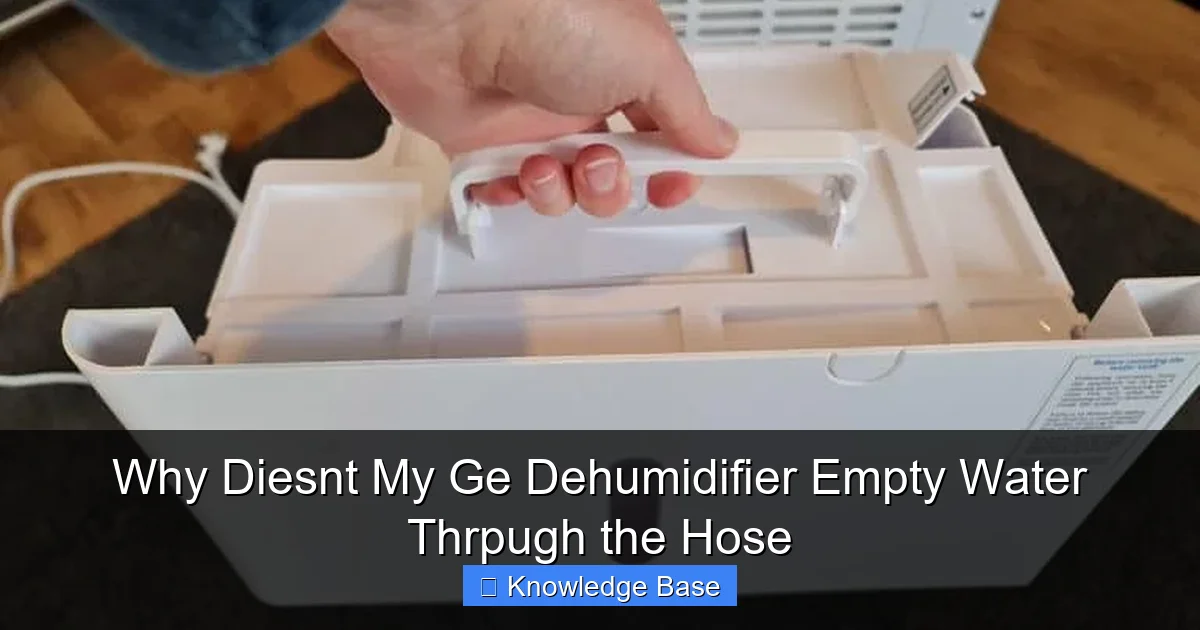
If your GE dehumidifier isn’t emptying water through the hose, it’s likely due to a clogged hose, improper installation, or a faulty pump. This guide walks you through troubleshooting steps to restore proper drainage and keep your unit running smoothly.
Key Takeaways
- Check for hose blockages: Dirt, mold, or kinks can prevent water flow through the drainage hose.
- Ensure correct hose installation: The hose must be properly attached and positioned with a downward slope for gravity drainage.
- Verify pump functionality: Some GE models use a condensate pump—test it if water isn’t moving despite a clear hose.
- Inspect the float switch: A stuck or malfunctioning float switch can stop the dehumidifier from operating, even with a hose connected.
- Confirm continuous drain mode is enabled: The unit must be set to “continuous drain” mode for hose-based emptying to work.
- Clean the water collection bucket and sensor: Residue buildup can interfere with sensors that control drainage.
- Check for power or control board issues: Electrical faults may prevent the pump or fan from activating during drainage.
Introduction: Understanding the Frustration of a Non-Draining Dehumidifier
Imagine this: You’ve set up your GE dehumidifier in the basement to combat dampness and musty odors. You’ve connected the drainage hose, hoping to enjoy hands-free operation without constantly emptying the water bucket. But after a few hours, you notice the unit has stopped working—or worse, water is backing up and spilling onto the floor. You check the hose and see no water flowing. Frustrating, right?
This is a common issue many homeowners face with their GE dehumidifiers. While these appliances are designed for convenience, especially when using a continuous drain hose, several factors can prevent proper water evacuation. The good news? Most of these problems are fixable with a little troubleshooting. Whether you’re dealing with a clogged hose, a misaligned connection, or an internal sensor issue, understanding the root cause is the first step toward a solution.
In this comprehensive guide, we’ll explore why your GE dehumidifier might not be emptying water through the hose. We’ll break down the most common causes, provide step-by-step fixes, and share practical tips to keep your unit draining efficiently. By the end, you’ll have the knowledge to diagnose and resolve the issue—no technician required.
How a GE Dehumidifier’s Drainage System Works
Before diving into troubleshooting, it’s important to understand how your GE dehumidifier is supposed to work when using a drainage hose. Most GE dehumidifiers are equipped with a dual drainage system: a removable water collection bucket for manual emptying and an optional continuous drain hose for automatic water removal.
The Role of the Condensate Collection Process
Dehumidifiers work by drawing in moist air through a fan. The air passes over cold evaporator coils, causing moisture to condense into water droplets. These droplets collect in a reservoir or drip into a collection bucket. In models with a drain hose option, this water is directed through a hose connected to the unit’s drain port.
The key to continuous drainage is gravity. The hose must be positioned so that water flows downhill from the dehumidifier to a floor drain, sink, or sump pump. Some higher-end GE models also include a built-in condensate pump, which actively pushes water through the hose—even uphill—making them ideal for basements or areas without nearby drains.
Components Involved in Hose Drainage
Several components work together to ensure water flows properly through the hose:
- Drain port: The outlet on the dehumidifier where the hose connects.
- Drain hose: Typically a flexible vinyl or rubber tube that carries water away.
- Float switch: A safety mechanism that detects water level and shuts off the unit if the bucket fills or drainage fails.
- Condensate pump (if applicable): An electric pump that moves water through the hose when gravity alone isn’t sufficient.
- Control board: Manages the dehumidifier’s operations, including when to activate the pump or fan.
When any of these components fail or are improperly configured, the hose won’t drain water—even if everything else seems fine. That’s why a systematic approach to troubleshooting is essential.
Common Reasons Your GE Dehumidifier Isn’t Draining Through the Hose
Now that you understand how the system works, let’s explore the most common reasons your GE dehumidifier might not be emptying water through the hose. Each issue has a logical explanation and, in most cases, a straightforward fix.
1. Clogged or Kinked Drain Hose
One of the most frequent culprits is a blocked or bent hose. Over time, mineral deposits, mold, or debris can build up inside the hose, restricting water flow. Similarly, if the hose is kinked or bent sharply, gravity can’t pull the water through.
For example, imagine your hose is routed behind a shelf or under a carpet edge. A slight bend might seem harmless, but it can create a bottleneck that stops drainage entirely. In humid environments, algae or slime can also grow inside the hose, especially if it’s left damp for long periods.
How to fix it: Disconnect the hose from the dehumidifier and inspect it for kinks or blockages. Run water through it from a faucet to check for flow. If you see debris, flush the hose with a mixture of vinegar and water to dissolve buildup. For stubborn clogs, use a pipe cleaner or flexible brush to scrub the interior.
2. Improper Hose Installation or Positioning
Even a perfectly clear hose won’t work if it’s not installed correctly. The hose must be securely attached to the drain port and positioned with a consistent downward slope. If the hose rises at any point—such as looping over a pipe or sitting on a high surface—water will pool and stop flowing.
Additionally, the end of the hose should be placed in a drain, sink, or bucket that’s lower than the dehumidifier. If the outlet is higher, gravity can’t do its job. Some users mistakenly place the hose in a sink that’s above the unit’s level, causing water to back up.
How to fix it: Re-route the hose so it flows downward without any uphill sections. Use clips or tape to secure it in place and prevent sagging. Ensure the outlet is at least 6–12 inches below the drain port. If you’re using a condensate pump, check the manufacturer’s guidelines for maximum lift height.
3. Faulty or Inactive Condensate Pump
Not all GE dehumidifiers have a built-in pump, but those that do rely on it for continuous drainage—especially in basements or crawl spaces. If your model includes a pump and water isn’t moving, the pump may be broken, unplugged, or not receiving power.
Signs of a faulty pump include a humming sound without water movement, or no sound at all. In some cases, the pump’s impeller (the spinning part that moves water) can get stuck due to mineral buildup or debris.
How to fix it: First, check that the pump is plugged in and the power cord is intact. Listen for operation—if it’s silent, the motor may be burned out. If it hums but doesn’t pump, try manually spinning the impeller (if accessible) to free it. For persistent issues, consult your user manual or contact GE support for replacement parts.
4. Stuck or Malfunctioning Float Switch
The float switch is a safety feature that prevents overflow. It rises with the water level in the collection bucket and triggers the dehumidifier to shut off when full. However, if the switch is stuck in the “up” position—even with a hose connected—the unit will stop working, believing the bucket is full.
This can happen if the switch is jammed by debris, misaligned, or damaged. Some models have a separate float mechanism for hose drainage, but many rely on the same switch used for the bucket.
How to fix it: Locate the float switch (usually inside the bucket compartment) and gently move it up and down to ensure it moves freely. Clean any residue around it. If the switch is damaged or unresponsive, it may need replacement. Refer to your model’s parts diagram for the correct part number.
5. Incorrect Mode or Settings
Many GE dehumidifiers require you to manually enable “continuous drain” mode when using a hose. If the unit is still set to “bucket drain” or “auto” mode, it may ignore the hose and rely on the internal bucket instead.
Additionally, some models have a drain hose detection feature. If the system doesn’t recognize the hose is connected, it won’t activate drainage. This can happen if the hose isn’t fully inserted or if the port sensor is dirty.
How to fix it: Check your user manual for instructions on enabling continuous drain mode. On some models, this involves pressing a specific button or removing the bucket. Ensure the hose is fully seated in the drain port and that the port is clean and unobstructed.
Step-by-Step Troubleshooting Guide
Now that you know the common causes, let’s walk through a systematic troubleshooting process. Follow these steps in order to identify and resolve the issue efficiently.
Step 1: Verify the Hose Is Connected and Clear
Start by turning off and unplugging the dehumidifier. Remove the drain hose and inspect both ends. Look for cracks, kinks, or blockages. Blow air through the hose or run water from a faucet to test flow. If water doesn’t pass easily, clean the hose as described earlier.
Step 2: Check Hose Positioning and Slope
Reconnect the hose and ensure it’s routed downward without any loops or uphill sections. Use a level or visual inspection to confirm the slope. The end of the hose should be in a drain or container lower than the unit. Avoid coiling excess hose, as this can create airlocks.
Step 3: Inspect the Float Switch
Open the front panel or remove the water bucket to access the float switch. Gently lift and lower it to ensure it moves smoothly. Clean any dirt or residue around the mechanism. If the switch feels stiff or unresponsive, it may need replacement.
Step 4: Confirm Continuous Drain Mode Is Enabled
Consult your user manual to locate the continuous drain setting. On many GE models, this involves removing the water bucket and pressing a button or flipping a switch. Some units automatically detect the hose, while others require manual activation. Make sure the setting is correctly applied.
Step 5: Test the Condensate Pump (If Applicable)
If your model has a pump, listen for operation when the unit runs. If it’s silent, check the power connection and fuse. If it hums but doesn’t pump, the impeller may be stuck. Try gently rotating it with a tool (if accessible). If the pump still doesn’t work, consider replacing it.
Step 6: Clean the Water Collection Bucket and Sensors
Even with a hose connected, some sensors monitor the bucket’s condition. Remove the bucket and clean it thoroughly with soap and water. Wipe down any sensors or probes inside the compartment. Residue buildup can interfere with readings and prevent proper operation.
Step 7: Check for Power or Control Board Issues
If all else fails, the problem may be electrical. Use a multimeter to test for power at the pump or drain port. If there’s no voltage, the control board or wiring may be faulty. This is best handled by a qualified technician, but you can contact GE support for guidance.
Preventative Maintenance Tips for Reliable Drainage
Once you’ve resolved the issue, take steps to prevent it from happening again. Regular maintenance can extend the life of your dehumidifier and ensure consistent performance.
Clean the Hose Monthly
Even if it’s working now, mineral deposits and mold can build up over time. Every month, disconnect the hose and flush it with a solution of 1 part white vinegar to 3 parts water. Let it sit for 30 minutes, then rinse thoroughly. This prevents clogs and odors.
Inspect Hose Routing Quarterly
Check that the hose hasn’t shifted, kinked, or been crushed by furniture. Re-secure it with clips if needed. Ensure the outlet remains unobstructed and lower than the unit.
Clean the Bucket and Sensors Regularly
Even with continuous drainage, the bucket should be cleaned every 1–2 months. Use a mild detergent and a soft brush to remove slime or residue. Wipe down sensors with a damp cloth to maintain accurate readings.
Replace the Hose Annually
Over time, hoses can degrade, crack, or become brittle. Replace the drain hose once a year, especially if you notice wear or reduced flow. Use a high-quality, food-grade vinyl hose for best results.
Use a Hose Filter or Inline Strainer
To catch debris before it enters the hose, consider installing an inline strainer or filter. These small devices attach to the drain port and trap particles, reducing the risk of clogs.
Monitor Humidity Levels
Run your dehumidifier only when needed. Excessive runtime can lead to faster wear on components. Use a hygrometer to monitor indoor humidity and adjust settings accordingly.
When to Call a Professional
While most drainage issues can be resolved with DIY troubleshooting, some problems require expert attention. Here’s when it’s time to call a technician:
- The condensate pump is completely non-functional and under warranty.
- There’s evidence of electrical damage, such as burnt wires or a blown fuse.
- The control board shows error codes not explained in the manual.
- Water is leaking from inside the unit, indicating a seal or coil issue.
- You’ve tried all troubleshooting steps and the hose still won’t drain.
GE offers customer support and authorized service centers for repairs. Keep your model number and purchase receipt handy when contacting them.
Conclusion: Restore Drainage and Enjoy Peace of Mind
A GE dehumidifier that won’t empty water through the hose can be a real headache—but it’s rarely a permanent problem. In most cases, the issue stems from a simple fix like a clogged hose, incorrect installation, or a stuck float switch. By following the steps in this guide, you can diagnose and resolve the problem quickly and confidently.
Remember, regular maintenance is key to preventing future issues. Clean your hose, check the float switch, and ensure proper positioning to keep your dehumidifier running smoothly. With a little care, your unit will continue to protect your home from excess moisture, mold, and musty odors for years to come.
Don’t let a non-draining hose disrupt your comfort. Take action today, and enjoy the convenience of automatic, hassle-free dehumidification.
FAQs
Why doesn’t my GE dehumidifier drain water even with the hose connected?
This is usually due to a clogged hose, incorrect installation, or a faulty pump. Check for kinks, ensure the hose slopes downward, and verify the pump is working if your model has one.
Can I use any hose for my GE dehumidifier drain?
Use a flexible, smooth-bore vinyl or rubber hose that fits snugly on the drain port. Avoid corrugated hoses, as they can trap debris and restrict flow.
How often should I clean the drain hose?
Clean the hose monthly with a vinegar solution to prevent clogs and mold. Replace it annually if it shows signs of wear.
My dehumidifier has a pump, but water isn’t moving. What’s wrong?
The pump may be unplugged, burned out, or have a stuck impeller. Test the power connection and listen for operation. If it’s silent, the motor may need replacement.
Does the water bucket need to be removed when using a drain hose?
On most GE models, yes. Removing the bucket often activates continuous drain mode. Check your manual for specific instructions.
Can a dirty air filter affect drainage?
Indirectly, yes. A clogged filter reduces airflow, causing the coils to freeze and the unit to cycle improperly. This can lead to water backup and drainage issues.
This is a comprehensive guide about why diesnt my ge dehumidifier empty water thrpugh the hose.
Key Takeaways
- Understanding why diesnt my ge dehumidifier empty water thrpugh the hose: Provides essential knowledge
Frequently Asked Questions
What is why diesnt my ge dehumidifier empty water thrpugh the hose?
why diesnt my ge dehumidifier empty water thrpugh the hose is an important topic with many practical applications.