
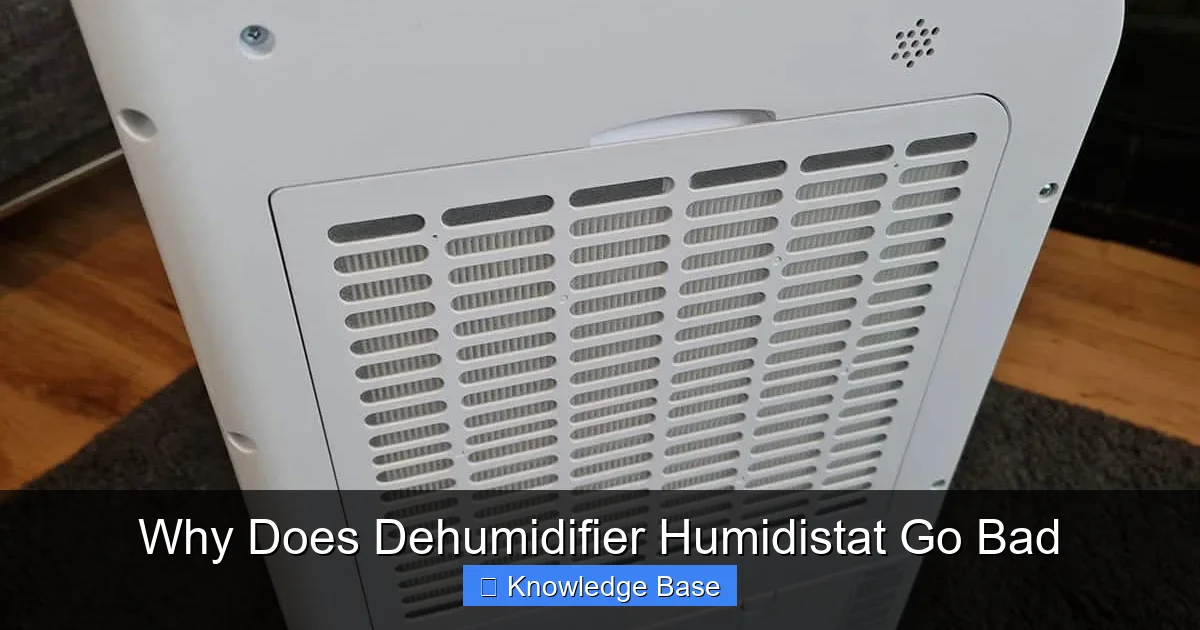
A dehumidifier humidistat can go bad due to dust buildup, electrical issues, or age-related wear. When it fails, your unit may not turn on, won’t shut off, or runs inefficiently. Regular cleaning and maintenance can prevent most problems.
Key Takeaways
- Humidistat failure is common: Over time, the sensor that measures humidity levels can degrade, leading to inaccurate readings or complete malfunction.
- Dust and debris are major culprits: Accumulated dirt on the humidistat sensor disrupts its ability to detect moisture, causing the dehumidifier to behave erratically.
- Electrical surges can damage components: Power spikes or faulty wiring may fry the humidistat’s internal circuitry, especially in older models.
- Age and wear reduce accuracy: Like any electronic part, humidistats lose precision after years of use, often requiring replacement.
- Improper placement affects performance: Installing a dehumidifier in a drafty or overly humid area can strain the humidistat and shorten its lifespan.
- Regular maintenance prevents issues: Cleaning filters, checking for blockages, and inspecting the unit monthly can extend humidistat life.
- Replacement is often the best fix: If cleaning doesn’t resolve the problem, replacing the humidistat is usually more cost-effective than repairing it.
📑 Table of Contents
Why Does Dehumidifier Humidistat Go Bad? A Complete Guide
You’ve just walked into your basement, expecting a cool, dry space—but instead, you’re hit with that familiar damp, musty smell. You check your dehumidifier, and it’s running nonstop, yet the air still feels sticky. Or worse, it won’t turn on at all, even though the power’s connected. Chances are, your dehumidifier’s humidistat has gone bad.
The humidistat is the brain behind your dehumidifier’s operation. It senses the moisture level in the air and tells the machine when to start or stop. Without a working humidistat, your dehumidifier either runs constantly, doesn’t run at all, or cycles on and off unpredictably. This not only wastes energy but can also lead to mold growth, damaged belongings, and poor indoor air quality. Understanding why this small but crucial component fails is the first step toward fixing the problem and keeping your home comfortable and healthy.
What Is a Dehumidifier Humidistat?
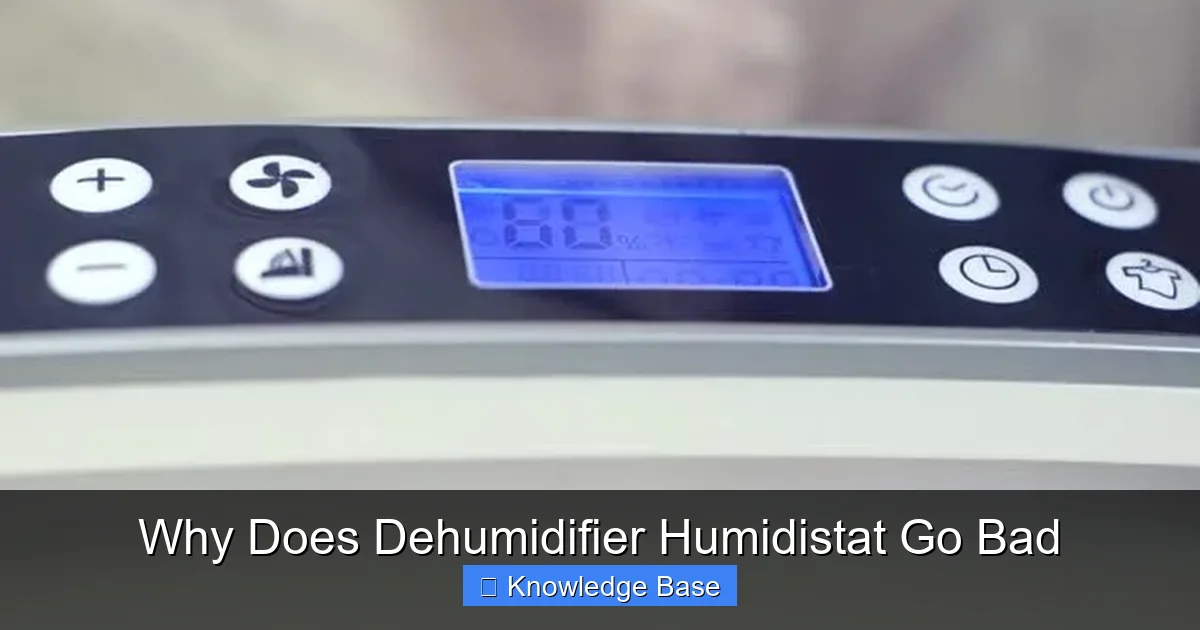
Before diving into why humidistats go bad, it’s important to understand what they do. The humidistat is a sensor built into most dehumidifiers that measures the relative humidity (RH) in the surrounding air. Based on the settings you choose—say, 45% RH—the humidistat continuously monitors the environment. When humidity rises above your set point, it signals the dehumidifier to turn on. Once the air reaches the desired dryness, it tells the unit to shut off.
Visual guide about Why Does Dehumidifier Humidistat Go Bad
Image source: bestdehumidifier.reviews
This automatic on/off cycle is what makes dehumidifiers energy-efficient and user-friendly. Without it, you’d have to manually turn the machine on and off, which is both inconvenient and inefficient. Think of the humidistat as the thermostat of your dehumidifier—it’s the control center that ensures your appliance works only when needed.
How the Humidistat Works
Most humidistats use either a mechanical or electronic sensor to detect moisture. Mechanical models rely on materials like human hair or synthetic fibers that expand and contract with changes in humidity. As humidity increases, the material lengthens, triggering a switch that turns on the dehumidifier. When humidity drops, the material shortens, flipping the switch off.
Electronic humidistats, more common in modern units, use capacitive or resistive sensors. These detect changes in electrical resistance or capacitance caused by moisture in the air. They’re more accurate and responsive than mechanical versions, but also more sensitive to dust, corrosion, and electrical issues.
Where Is the Humidistat Located?
The humidistat is typically located near the air intake of the dehumidifier, where it can sample incoming air. On many models, it’s behind a small grille or panel on the front or side. Some units have a digital display that shows current humidity levels, while others use a simple dial or knob for setting the desired level.
Because it’s exposed to the air being drawn into the machine, the humidistat is especially vulnerable to dust, pet dander, and moisture buildup. Over time, these contaminants can coat the sensor, interfering with its ability to read humidity accurately.
Common Causes of Humidistat Failure
Now that you know what a humidistat does and how it works, let’s explore the most common reasons it fails. Understanding these causes can help you prevent future issues and make informed decisions when troubleshooting.
Visual guide about Why Does Dehumidifier Humidistat Go Bad
Image source: f.fcdn.app
Dust and Debris Accumulation
One of the top reasons a dehumidifier humidistat goes bad is dust buildup. As air flows into the unit, it carries tiny particles of dust, lint, pollen, and pet hair. Over time, these settle on the humidistat sensor, forming a thin film that blocks moisture detection.
Imagine trying to feel the humidity with a glove on—your sensitivity is reduced. That’s exactly what happens when dust coats the sensor. The humidistat may read the air as drier than it actually is, causing the dehumidifier to run longer than necessary. Or, it might fail to detect high humidity at all, leaving your space damp and uncomfortable.
For example, if you run your dehumidifier in a dusty basement or garage, the humidistat will accumulate grime faster than in a clean living room. Regular cleaning—every 1–2 months—can prevent this issue. Use a soft brush or compressed air to gently remove dust from the sensor and surrounding area.
Electrical Surges and Power Issues
Electronic humidistats are sensitive to voltage fluctuations. A power surge—whether from a lightning strike, faulty wiring, or an overloaded circuit—can fry the internal circuitry. Even small, repeated surges from appliances like air conditioners or refrigerators turning on can degrade the sensor over time.
If your dehumidifier suddenly stops responding or behaves erratically after a storm or power outage, the humidistat may have been damaged. In some cases, the unit might still run, but the humidity readings are wildly inaccurate—showing 20% in a swampy basement or 80% in a dry attic.
Using a surge protector can help safeguard your dehumidifier from electrical damage. Look for models with built-in surge protection or plug your unit into a high-quality power strip designed for electronics.
Age and Wear Over Time
Like any electronic component, humidistats have a limited lifespan. Most last between 5 to 10 years, depending on usage and environmental conditions. Over time, the materials inside the sensor degrade, reducing accuracy and responsiveness.
Mechanical humidistats may develop stiffness in the expanding material, making it less sensitive to humidity changes. Electronic sensors can suffer from corrosion or component fatigue, leading to false readings or complete failure.
If your dehumidifier is more than 7 years old and the humidistat is acting up, age-related wear is likely the culprit. At this point, replacing the humidistat—or the entire unit—is often the most practical solution.
Moisture and Corrosion
Ironically, the very moisture the humidistat is designed to measure can also cause it to fail. In high-humidity environments, condensation can form inside the unit, especially if it’s turned off for long periods. This moisture can seep into the humidistat, causing corrosion on the electrical contacts or sensor surface.
Corrosion disrupts the flow of electricity, leading to inaccurate readings or a complete loss of function. You might notice rust-colored spots near the sensor or a burnt smell when the unit runs. In severe cases, the humidistat may short-circuit, tripping the breaker or damaging other components.
To prevent moisture damage, always empty the water tank after use and store the dehumidifier in a dry place when not in use. If you live in a humid climate, consider running the unit periodically—even in winter—to keep internal parts dry.
Improper Placement and Airflow Issues
Where you place your dehumidifier can significantly impact the humidistat’s performance. If the unit is positioned too close to a wall, in a corner, or behind furniture, airflow is restricted. This means the humidistat isn’t sampling fresh air, leading to inaccurate readings.
For example, if your dehumidifier is tucked into a closet with poor ventilation, the sensor might detect stagnant, overly humid air—even if the rest of the room is dry. This causes the unit to run constantly, wearing out the humidistat faster.
Always place your dehumidifier in an open area with at least 6–12 inches of clearance on all sides. Avoid drafty areas like near windows or doors, where temperature and humidity fluctuate rapidly. These sudden changes can confuse the sensor and reduce its lifespan.
Symptoms of a Bad Humidistat
How do you know if your dehumidifier’s humidistat has gone bad? While some signs are obvious, others are more subtle. Recognizing these symptoms early can save you time, money, and discomfort.
Dehumidifier Runs Constantly
If your dehumidifier won’t shut off—even when the air feels dry—the humidistat may be stuck in the “on” position. This usually means it’s not detecting that the target humidity has been reached. As a result, the unit keeps running, wasting electricity and potentially over-drying the air.
Over-drying can cause dry skin, irritated sinuses, and static electricity. It can also damage wooden furniture and flooring by removing too much moisture. If you notice these issues, check the humidistat first.
Dehumidifier Won’t Turn On
On the flip side, if your dehumidifier refuses to start—even though it’s plugged in and the tank is empty—the humidistat might be failing to detect high humidity. This is common when dust or corrosion blocks the sensor.
Try setting the humidistat to its lowest setting (e.g., 30% RH). If the unit still doesn’t turn on, the sensor is likely faulty. You can test this by using a separate hygrometer to check the actual humidity level in the room.
Inaccurate Humidity Readings
Many modern dehumidifiers display the current humidity level on a digital screen. If the reading seems off—showing 40% in a damp basement or 70% in a dry living room—the humidistat may be miscalibrated or damaged.
Compare the display with a standalone hygrometer. If there’s a difference of more than 5–10%, the humidistat needs attention. Inaccurate readings prevent the dehumidifier from maintaining optimal humidity, leading to mold growth or excessive dryness.
Unit Cycles On and Off Frequently
Short cycling—turning on and off every few minutes—is another red flag. This happens when the humidistat detects a rapid change in humidity, often due to sensor malfunction or poor airflow.
Frequent cycling stresses the compressor and other components, reducing the lifespan of the entire unit. It also makes the dehumidifier less efficient, as it spends more energy starting up than actually removing moisture.
Unusual Noises or Smells
In rare cases, a failing humidistat can cause electrical arcing or overheating, leading to burning smells or buzzing sounds. If you notice these signs, turn off the dehumidifier immediately and unplug it. Continuing to use it could pose a fire hazard.
How to Test and Fix a Bad Humidistat
If you suspect your dehumidifier’s humidistat is bad, don’t panic. There are several steps you can take to diagnose and potentially fix the problem.
Step 1: Clean the Sensor
Start by turning off and unplugging the dehumidifier. Locate the humidistat—usually behind a grille near the air intake. Use a soft brush, cotton swab, or compressed air to gently remove dust and debris from the sensor and surrounding area.
Avoid using water or cleaning solutions, as moisture can damage electronic components. If the sensor is heavily coated, you may need to remove the front panel (check your user manual for instructions).
After cleaning, plug the unit back in and test it. Set the humidistat to a low level (e.g., 40%) and see if the dehumidifier turns on when the room is humid. If it works, great! If not, move to the next step.
Step 2: Check for Obstructions
Make sure nothing is blocking the air intake or exhaust vents. Furniture, curtains, or even a full water tank can restrict airflow, preventing the humidistat from sampling air properly.
Also, check the air filter. A clogged filter reduces airflow and forces the humidistat to work harder. Replace or clean the filter every 1–2 months, especially during high-use seasons.
Step 3: Test with a Hygrometer
Use a reliable hygrometer to measure the actual humidity in the room. Compare this reading to the one displayed on your dehumidifier. If there’s a significant difference, the humidistat is likely faulty.
You can buy a hygrometer for under $20 at most hardware or electronics stores. Place it near the dehumidifier for an accurate comparison.
Step 4: Reset or Recalibrate
Some dehumidifiers have a reset button or calibration feature. Check your user manual for instructions. On certain models, you can adjust the humidistat by turning a small screw or using a digital menu.
Recalibration can fix minor inaccuracies, but it won’t solve problems caused by physical damage or wear.
Step 5: Replace the Humidistat
If cleaning and testing don’t resolve the issue, the humidistat likely needs replacement. You can purchase a compatible replacement part online or from the manufacturer. Prices typically range from $20 to $60, depending on the model.
Replacing the humidistat requires some basic tools and electrical knowledge. If you’re not comfortable working with electronics, consider hiring a technician. In many cases, however, it’s a straightforward process involving disconnecting wires and installing the new sensor.
Preventing Humidistat Failure
The best way to deal with a bad humidistat is to prevent it from failing in the first place. With a few simple habits, you can extend the life of your dehumidifier and keep it running efficiently.
Regular Cleaning and Maintenance
Clean the humidistat and air filter every 1–2 months. Wipe down the exterior with a damp cloth and vacuum the vents. This prevents dust buildup and ensures proper airflow.
Also, empty the water tank after each use to avoid stagnant water and mold growth. If your model has a hose for continuous drainage, make sure it’s not kinked or clogged.
Use a Surge Protector
Protect your dehumidifier from power surges by plugging it into a surge protector. This is especially important in areas prone to thunderstorms or unstable power grids.
Choose the Right Location
Place your dehumidifier in a central, open area with good airflow. Avoid damp corners, near laundry areas, or in direct sunlight. Ideal locations include basements, crawl spaces, or large closets.
Monitor Humidity Levels
Use a hygrometer to keep an eye on indoor humidity. Aim for 30–50% RH for comfort and health. If levels stay high despite running the dehumidifier, there may be an underlying issue like a leak or poor ventilation.
Schedule Professional Inspections
Once a year, have a technician inspect your dehumidifier. They can check the humidistat, clean internal components, and identify potential problems before they become serious.
When to Replace the Entire Unit
Sometimes, replacing the humidistat isn’t enough. If your dehumidifier is over 10 years old, frequently breaks down, or requires costly repairs, it may be time for a new unit.
Newer models are more energy-efficient, quieter, and come with advanced features like Wi-Fi connectivity, auto-defrost, and smart humidistats that adjust based on room conditions. Upgrading can save you money on electricity and improve indoor air quality.
When shopping for a new dehumidifier, look for one with a reliable humidistat, good reviews, and a solid warranty. Brands like Frigidaire, hOmeLabs, and GE are known for durable, high-performing models.
Conclusion
A bad dehumidifier humidistat can turn a helpful appliance into a frustrating headache. Whether it’s running nonstop, refusing to start, or giving false readings, the symptoms are hard to ignore. But with the right knowledge, you can diagnose the problem, fix it, or prevent it altogether.
Remember, the humidistat is the heart of your dehumidifier. Keep it clean, protect it from power surges, and place your unit in the right spot. With regular maintenance, your dehumidifier will keep your home dry, comfortable, and healthy for years to come.
Frequently Asked Questions
Can a dehumidifier work without a humidistat?
Yes, some basic models operate without a humidistat and run continuously when plugged in. However, this is inefficient and can over-dry the air. Most modern dehumidifiers rely on a humidistat for automatic control.
How often should I clean my dehumidifier’s humidistat?
Clean the humidistat every 1–2 months, especially if you use the dehumidifier frequently or in a dusty environment. Regular cleaning prevents dust buildup and ensures accurate humidity readings.
Is it safe to replace a humidistat myself?
Yes, if you’re comfortable with basic electronics and follow the manufacturer’s instructions. Always unplug the unit before working on it. If you’re unsure, hire a professional to avoid damage or injury.
Why does my dehumidifier show the wrong humidity level?
This is usually due to a dirty or faulty humidistat. Dust, corrosion, or sensor wear can cause inaccurate readings. Clean the sensor or replace it if necessary.
Can a power surge damage a dehumidifier’s humidistat?
Yes, electrical surges can fry the sensitive electronics in the humidistat. Use a surge protector to safeguard your unit, especially during storms or in areas with unstable power.
How long does a dehumidifier humidistat last?
Most humidistats last 5 to 10 years, depending on usage and maintenance. Older units or those in harsh environments may fail sooner. Regular care can extend its lifespan.