
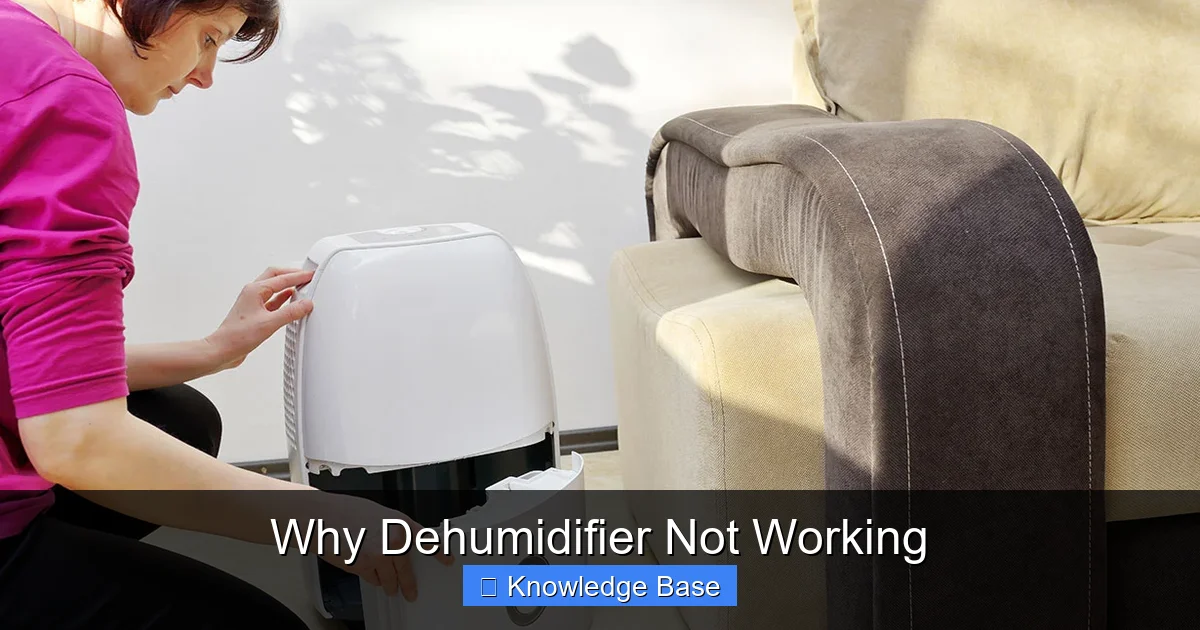
If your dehumidifier isn’t working, it’s often due to simple issues like clogged filters, incorrect settings, or blocked airflow. This guide walks you through the most common problems and practical solutions to get your unit running efficiently again—no technical expertise required.
Key Takeaways
- Clogged or dirty air filters restrict airflow and reduce efficiency—clean or replace them every 1–2 months.
- Incorrect humidity settings can prevent the unit from turning on; set the humidistat between 30% and 50% for optimal performance.
- Frozen coils often result from low temperatures or restricted airflow—turn off the unit and let it thaw before restarting.
- Blocked or kinked drain hose stops water removal; inspect and clear any obstructions in the hose or bucket.
- Overheating due to poor ventilation triggers safety shutoffs—ensure at least 6–12 inches of space around the unit.
- Mechanical failures like a faulty compressor or fan motor may require professional repair or replacement.
- Regular maintenance extends lifespan and prevents most issues—clean coils, check seals, and inspect electrical components monthly.
📑 Table of Contents
- Why Dehumidifier Not Working? Understanding the Basics
- Common Reasons Your Dehumidifier Isn’t Working
- How to Troubleshoot a Dehumidifier That’s Not Working
- When to Call a Professional
- Preventive Maintenance to Keep Your Dehumidifier Running Smoothly
- Choosing the Right Dehumidifier to Avoid Future Problems
- Conclusion: Don’t Let a Broken Dehumidifier Ruin Your Comfort
Why Dehumidifier Not Working? Understanding the Basics
Imagine this: you’ve just bought a brand-new dehumidifier, plugged it in, set the humidity level, and waited. But instead of seeing water collect in the tank, nothing happens. Or worse—your trusty old unit suddenly stops pulling moisture from the air, leaving your basement damp and your laundry smelling musty. Frustrating, right?
You’re not alone. A dehumidifier not working is one of the most common household appliance complaints, especially during humid seasons or in poorly ventilated spaces. But before you panic or rush to buy a replacement, know this: in most cases, the problem is fixable. Dehumidifiers are built to last, but like any machine, they need care, the right environment, and occasional troubleshooting.
Dehumidifiers work by drawing in moist air, cooling it to condense the moisture, and then reheating the air before releasing it back into the room. This cycle depends on several components working in harmony—fans, coils, compressors, filters, and sensors. When one part fails or gets blocked, the whole system can grind to a halt. The good news? Most issues are preventable and often easy to resolve with a little know-how.
In this guide, we’ll walk you through the most common reasons your dehumidifier isn’t working, how to diagnose the problem, and what you can do to fix it—without calling a technician. Whether you’re dealing with a unit that won’t turn on, isn’t collecting water, or is making strange noises, we’ve got you covered. Let’s dive in.
Common Reasons Your Dehumidifier Isn’t Working
When your dehumidifier stops working, it’s rarely a single catastrophic failure. More often, it’s a combination of small issues that add up over time. Understanding these common culprits is the first step toward getting your unit back in action.

Visual guide about Why Dehumidifier Not Working
Image source: bobvila.com
1. Dirty or Clogged Air Filter
The air filter is the unsung hero of your dehumidifier. It traps dust, pet dander, and other airborne particles, protecting the internal components. But when it gets clogged, airflow drops dramatically. Less airflow means less moisture is pulled into the unit, and the coils can’t cool properly. In extreme cases, the unit may shut down entirely to prevent overheating.
For example, if you live in a dusty home or have pets, your filter might need cleaning every few weeks. A quick visual check can tell you a lot—if it looks gray or packed with debris, it’s time to clean it. Most filters are washable: just rinse under warm water, let it dry completely, and pop it back in. If it’s damaged or too old, replace it with a compatible model.
2. Incorrect Humidity Settings
Many people set their dehumidifier too low—say, 20% or 25%—thinking it will remove moisture faster. But most homes don’t need humidity that low, and the unit may never reach that target. In fact, setting the humidistat too low can cause the dehumidifier to run constantly without ever turning off, which strains the motor and increases energy use.
The ideal indoor humidity level is between 30% and 50%. If your unit isn’t collecting water, check the setting. If it’s set below 30%, try raising it to 40% or 45%. You’ll likely see improved performance and longer run cycles. Also, make sure the humidistat is functioning—some models have a test button or calibration feature.
3. Frozen Coils
If your dehumidifier is running but not collecting water, frozen coils could be the issue. This happens when the evaporator coils get so cold that moisture in the air freezes on them instead of dripping into the tank. Common causes include low room temperature (below 65°F), dirty coils, or restricted airflow from a clogged filter.
You’ll often notice ice buildup on the front or back of the unit. If this happens, turn off the dehumidifier and let it sit for several hours to thaw. Never try to chip away the ice—it can damage the coils. Once thawed, check the filter and clean it. Also, ensure the room is warm enough. If you’re using the unit in a cold basement or garage, consider a model designed for low-temperature operation.
4. Blocked Drain Hose or Full Water Tank
Most dehumidifiers collect water in a removable bucket, but many also have a continuous drain option using a hose. If the hose is kinked, clogged, or not positioned correctly, water can’t flow out, and the unit may shut off as a safety measure.
Check the drain hose for bends or debris. If it’s connected to a floor drain or sink, make sure the end isn’t submerged—this can create a vacuum that stops flow. Also, inspect the water tank. Even if it’s not full, a faulty float switch (the mechanism that detects water level) might prevent the unit from running. Gently lift the float to see if the unit starts—if it does, the switch may need cleaning or replacement.
5. Poor Ventilation Around the Unit
Dehumidifiers need space to breathe. If you’ve placed yours in a tight corner, behind furniture, or too close to a wall, airflow is restricted. This causes the unit to overheat, triggering thermal cutoffs that shut it down.
Always leave at least 6 to 12 inches of clearance around all sides of the dehumidifier. Avoid placing it near heat sources like radiators or in direct sunlight. Also, make sure the intake and exhaust grilles aren’t blocked by curtains, boxes, or dust buildup.
6. Electrical or Power Issues
Sometimes, the problem isn’t the dehumidifier itself—it’s the power source. A tripped circuit breaker, loose outlet, or damaged power cord can prevent the unit from turning on. If your dehumidifier suddenly stops working, check the outlet with another device to confirm it’s live.
Also, inspect the power cord for fraying or burns. If you notice any damage, stop using the unit immediately—it’s a fire hazard. For hardwired units or those with internal fuses, you may need to consult the manual or a technician.
How to Troubleshoot a Dehumidifier That’s Not Working
Now that you know the common causes, let’s walk through a step-by-step troubleshooting process. Think of this as your dehumidifier’s “health check.” With a few simple tests, you can identify and fix most issues in under 30 minutes.
Visual guide about Why Dehumidifier Not Working
Image source: wisdommachining.com
Step 1: Check the Power Source
Start with the basics. Is the dehumidifier plugged in? Is the outlet working? Try plugging in a lamp or phone charger to confirm. If the outlet is controlled by a wall switch, make sure it’s turned on. Also, check your home’s circuit breaker panel—sometimes a tripped breaker is the culprit.
Step 2: Inspect the Water Tank and Drain System
Remove the water tank and check if it’s full. Even if it’s not, the float switch might be stuck. Clean the tank and float mechanism with warm, soapy water. For units with a drain hose, disconnect it and blow through it to check for blockages. Reconnect it securely and ensure it’s positioned downhill for proper drainage.
Step 3: Clean the Air Filter
Locate the air filter—usually behind a front or side panel. Remove it and inspect for dirt. If it’s washable, rinse it under warm water and let it air dry completely. If it’s disposable or damaged, replace it. A clean filter can instantly improve performance.
Step 4: Check for Frozen Coils
Turn off the unit and unplug it. Wait 2–4 hours for any ice to melt. Once thawed, inspect the coils (usually behind the front grille). If they’re dirty, gently clean them with a soft brush or vacuum attachment. Avoid using water or harsh chemicals.
Step 5: Verify Humidity Settings
Make sure the humidistat is set between 30% and 50%. If your model has a “continuous” or “on” setting, avoid using it unless necessary—it can overwork the unit. Also, check if the unit has a defrost mode or auto-restart feature after a power outage.
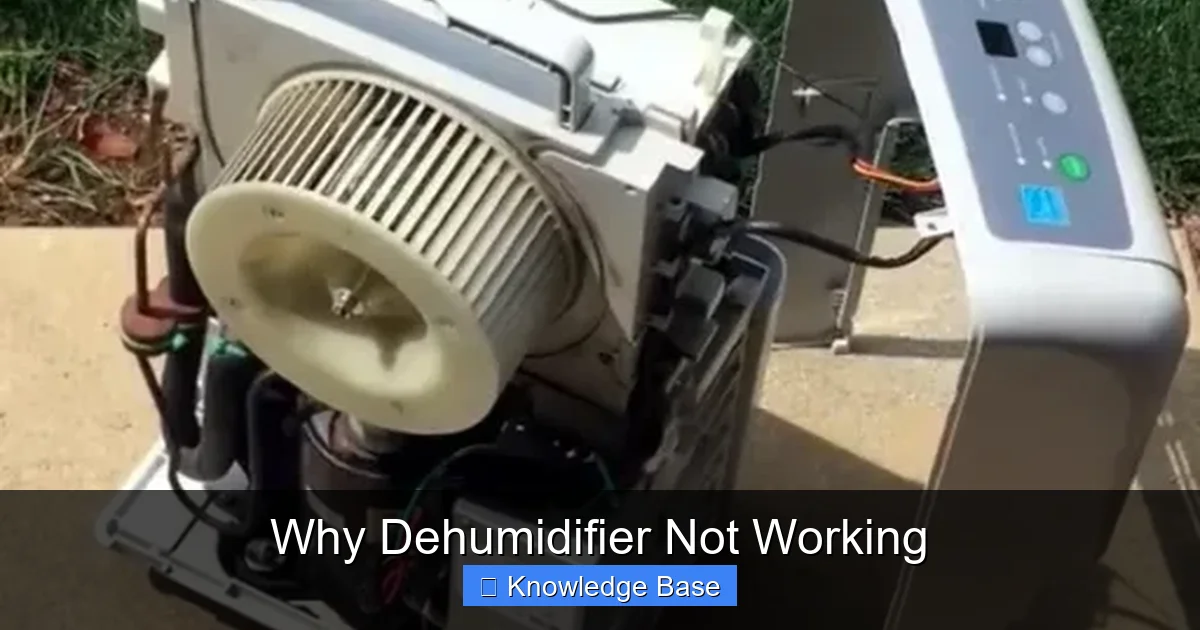
Step 6: Test the Fan and Compressor
Turn the unit back on and listen. You should hear the fan spinning and the compressor clicking on after a few minutes. If the fan runs but no air comes out, the fan motor may be faulty. If the compressor doesn’t start, it could be a capacitor issue or electrical fault. These problems usually require professional help.
When to Call a Professional
While many dehumidifier issues are DIY-friendly, some problems are best left to experts. Knowing when to call a technician can save you time, money, and potential safety risks.
Signs You Need Professional Help
- Strange noises: Grinding, screeching, or loud banging sounds may indicate a failing motor or compressor.
- Burning smell: This could mean overheating wires or a damaged compressor—unplug the unit immediately.
- Unit won’t turn on at all: After checking power and settings, if nothing happens, there may be an internal electrical fault.
- Refrigerant leak: If you see oil stains or the unit isn’t cooling properly, the refrigerant system may be compromised.
- Repeated freezing: If coils keep freezing despite cleaning and proper settings, there could be a refrigerant issue or faulty defrost sensor.
Most manufacturers offer warranties that cover repairs for 1–5 years. Check your manual or contact customer support before paying for service. Also, consider the age of your unit—if it’s over 7–10 years old, replacement might be more cost-effective than repair.
Preventive Maintenance to Keep Your Dehumidifier Running Smoothly
The best way to avoid a dehumidifier not working is to maintain it regularly. A little effort goes a long way in extending its lifespan and ensuring peak performance.
Monthly Maintenance Tasks
- Clean the air filter: Wash or replace it every 1–2 months, especially during high-use seasons.
- Inspect the water tank: Empty and clean it to prevent mold and bacteria growth.
- Check the drain hose: Ensure it’s clear and properly positioned.
- Wipe down the exterior: Use a damp cloth to remove dust and grime.
Seasonal Deep Cleaning
Every 3–6 months, do a more thorough cleaning:
- Vacuum the intake and exhaust grilles.
- Clean the evaporator and condenser coils with a soft brush or coil cleaner.
- Check the fan blades for dust buildup.
- Inspect seals and gaskets for wear or cracks.
Storage Tips for Off-Season
If you’re not using your dehumidifier in winter, store it properly:
- Clean all components and let them dry completely.
- Coil the power cord neatly—don’t wrap it tightly around the unit.
- Store in a dry, temperature-controlled area, preferably in its original box or a breathable cover.
Choosing the Right Dehumidifier to Avoid Future Problems
Sometimes, a dehumidifier not working is a sign that it’s the wrong model for your needs. Choosing the right unit from the start can prevent frustration down the road.
Size Matters
Dehumidifiers are rated by the amount of moisture they can remove in 24 hours (e.g., 30, 50, or 70 pints). A unit too small for your space will run constantly and wear out faster. Use this rule of thumb:
- 30-pint: Small bathrooms, closets, or areas under 500 sq. ft.
- 50-pint: Medium basements, laundry rooms, or spaces up to 1,500 sq. ft.
- 70-pint or higher: Large basements, crawl spaces, or very damp areas.
Features to Look For
- Auto-defrost: Prevents coil freezing in cold environments.
- Continuous drain option: Eliminates the need to empty the tank.
- Humidistat with digital display: Lets you set and monitor humidity levels precisely.
- Energy Star certification: Ensures efficiency and lower operating costs.
- Washable filter: Saves money and reduces waste.
Placement Tips
Even the best dehumidifier won’t work well if placed incorrectly. Put it in the dampest area—often the basement, crawl space, or near a laundry room. Avoid corners and ensure good airflow. For whole-house dehumidifiers, consider professional installation with ductwork.
Conclusion: Don’t Let a Broken Dehumidifier Ruin Your Comfort
A dehumidifier not working doesn’t have to be a disaster. In most cases, the fix is simpler than you think—whether it’s a dirty filter, a frozen coil, or a simple setting adjustment. By understanding how your unit works and performing regular maintenance, you can keep it running efficiently for years.
Remember, prevention is key. Clean the filter monthly, check the drain system, and give your unit enough space to operate. And if you do run into trouble, don’t panic—follow our troubleshooting steps before calling a technician. With a little care, your dehumidifier will keep your home dry, comfortable, and free from mold and mildew.
So the next time your dehumidifier seems sluggish or stops working altogether, take a deep breath. You’ve got this. And if all else fails, you now know when it’s time to upgrade to a better model. Your home—and your peace of mind—will thank you.
Frequently Asked Questions
Why is my dehumidifier running but not collecting water?
This is often due to frozen coils, a clogged filter, or incorrect humidity settings. Check if the coils are iced over, clean the filter, and ensure the humidistat is set between 30% and 50%. If the room is too cold (below 65°F), the unit may not work efficiently.
Can a dehumidifier overheat and shut off?
Yes. Poor ventilation, dirty coils, or a blocked filter can cause overheating. The unit has a thermal cutoff switch that shuts it down to prevent damage. Ensure at least 6–12 inches of space around the unit and clean it regularly.
How often should I clean my dehumidifier’s filter?
Clean or replace the filter every 1–2 months, or more often if you have pets or live in a dusty area. A clogged filter restricts airflow and reduces efficiency.
Is it normal for a dehumidifier to make noise?
Some noise is normal—like the hum of the fan or compressor. But grinding, screeching, or banging sounds may indicate a mechanical problem. Turn off the unit and inspect it, or call a technician if the noise persists.
Can I use a dehumidifier in a cold basement?
Yes, but only if it’s designed for low temperatures. Standard models may freeze below 65°F. Look for units with auto-defrost or “low-temp” operation for basements or garages.
Should I leave my dehumidifier on all the time?
Not necessarily. Most models have a humidistat that turns the unit on and off to maintain your set humidity level. Use the “auto” mode instead of “continuous” to save energy and reduce wear.