
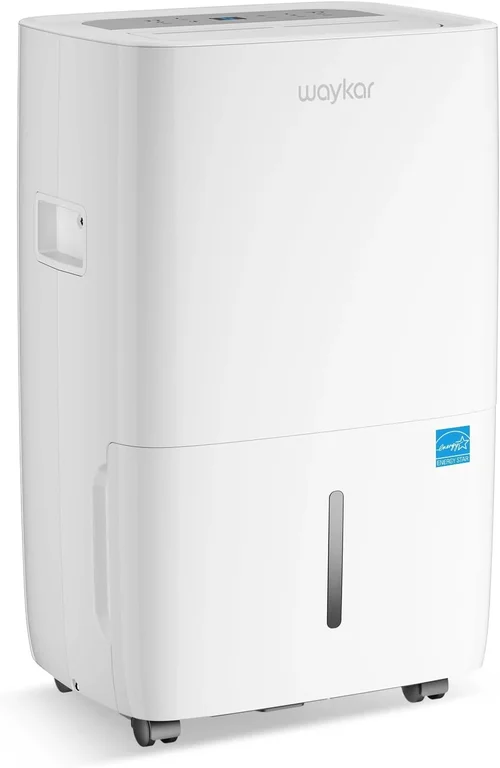
If you’ve ever walked into your basement and been greeted by that unmistakable damp, musty smell—or worse, spotted mold creeping along the walls—you know how urgent it is to control humidity. Large basements are especially prone to moisture issues due to their below-ground location, poor ventilation, and exposure to groundwater. Without proper dehumidification, you’re not just risking structural damage; you’re also creating an environment where allergens thrive, electronics corrode, and your home’s air quality plummets. That’s why investing in a high-performance dehumidifier isn’t just a nice-to-have—it’s essential for maintaining a healthy, usable space.
This comprehensive buying guide is designed to cut through the noise and help you make an informed decision. Whether you’re dealing with a 1,500-square-foot finished basement or a sprawling 3,000-square-foot unfinished storage area, we’ll walk you through everything you need to know. You’ll learn how to evaluate performance specs, understand key features like pump drainage and smart controls, avoid common pitfalls, and choose a model that fits both your space and your budget. We’ve tested dozens of units, analyzed real-world user feedback, and consulted HVAC experts to bring you the most up-to-date recommendations for 2026.
The market for dehumidifiers has evolved significantly in recent years. Gone are the days when you had to choose between noisy, inefficient units or industrial-grade machines that cost thousands. Today’s best dehumidifiers for large basements combine powerful moisture removal (often 70+ pints per day), energy-efficient operation, quiet performance, and smart connectivity—all in sleek, durable designs. With options ranging from under $300 to over $1,000, there’s something for every need and budget. By the end of this guide, you’ll have a clear roadmap to find the perfect dehumidifier that keeps your basement dry, comfortable, and protected year-round.

What to Look for When Buying Buying Guide
1. Moisture Removal Capacity (Pints per Day)
The single most important spec for any dehumidifier is its moisture removal rate, measured in pints per day (PPD). For large basements—typically defined as 1,500 to 3,000+ square feet—you’ll want a unit rated for at least 50–70 PPD, with 70+ PPD being ideal for very damp or flood-prone areas. This rating tells you how much water the unit can extract from the air in a 24-hour period under standard conditions (80°F and 60% relative humidity). Underestimating this number is a common mistake: a 30-pint unit might work fine in a small closet but will struggle to keep up in a sprawling basement, leading to constant running, higher energy bills, and inadequate humidity control.
When evaluating PPD, consider your basement’s specific conditions. Is it unfinished with concrete floors and exposed walls? Does it flood after heavy rain? Are there signs of condensation on windows or walls? These factors increase the actual moisture load beyond what’s reflected in square footage alone. Many manufacturers now offer “real-world” performance data based on colder basement temperatures (as low as 50°F), which is crucial since most basements run cooler than the standard test environment. Look for models that maintain strong performance even at lower temps—this is often indicated by an AHAM certification or ENERGY STAR rating for cold-climate operation.
2. Energy Efficiency & Operating Costs
Running a dehumidifier 24/7 in a large basement can significantly impact your electricity bill, so energy efficiency matters. The key metric here is the Energy Factor (EF), measured in liters of water removed per kilowatt-hour (L/kWh). Higher EF values mean more efficient operation. For example, a unit with an EF of 1.8 removes 1.8 liters of water per kWh, while one with 2.2 is noticeably more efficient. ENERGY STAR-certified models typically exceed federal standards by 10–20%, saving you $10–$30 annually compared to non-certified units.
Don’t overlook the compressor type, either. Most modern dehumidifiers use either rotary (inverter) or reciprocating compressors. Rotary compressors are generally quieter, more efficient, and better at modulating output based on humidity levels—ideal for maintaining steady conditions without constant on/off cycling. Also check the wattage: a 70-pint unit might draw anywhere from 500W to 800W. Multiply that by your local electricity rate and estimated runtime to estimate monthly costs. A pro tip: run your dehumidifier during off-peak hours if your utility offers time-of-use pricing, or pair it with a smart plug to automate scheduling.
3. Drainage Options & Pump Functionality
In a large basement, manually emptying a water bucket every few days is impractical and risky—overflow can cause water damage and restart the moisture cycle. That’s why continuous drainage is non-negotiable for serious basement use. Most units include a built-in hose connection (usually ⅝” or ¾” threaded) for gravity drainage into a floor drain, sump pit, or utility sink. But if your drain is elevated or far from the unit, you’ll need a built-in condensate pump.
A pump allows the dehumidifier to push water vertically (up to 15–20 feet) and horizontally (up to 100+ feet), giving you flexibility in placement. Look for models with reliable, maintenance-free pumps—some even feature auto-restart after power outages so your system keeps running without intervention. Avoid units that rely solely on passive drainage unless you’re certain your setup supports it. Also, ensure the hose connection is accessible and leak-proof; silicone or reinforced vinyl hoses are preferable to cheap plastic tubing.
4. Humidity Control & Automation
Precise humidity control is critical for preventing mold (which thrives above 60% RH) while avoiding over-drying, which wastes energy and can damage wood or finishes. The best dehumidifiers offer digital hygrometers with ±3% accuracy and adjustable setpoints from 30% to 80% RH. Look for models with auto-humidistats that continuously monitor and adjust fan speed and compressor output to maintain your target level.
Advanced units now include programmable timers, delay start/stop functions, and even Wi-Fi connectivity. With smart features, you can monitor humidity remotely via an app, receive alerts if the bucket fills or a fault occurs, and integrate with home automation systems like Alexa or Google Home. Some premium models even sync with weather forecasts to anticipate rising humidity after rainstorms. While not essential, these features add convenience and peace of mind—especially if you travel frequently or have a second home.
5. Noise Level & Operational Comfort
Basements are often used as living spaces, home gyms, or workshops, so noise matters. Dehumidifier noise is measured in decibels (dB), with most residential units ranging from 45 dB to 60 dB. For context, 45 dB is comparable to a quiet library, while 60 dB resembles normal conversation. If your basement doubles as a home theater or office, aim for sub-50 dB models. Many manufacturers now offer “quiet mode” settings that reduce fan speed at the cost of slightly slower drying—perfect for nighttime use.
Pay attention to where the sound comes from: compressor noise tends to be low-frequency and constant, while fan noise is higher-pitched but often intermittent. Units with insulated cabinets or vibration-dampening mounts run quieter. Also consider placement—corner mounting or using rubber feet can minimize resonance against concrete walls. If noise is a top concern, look for models specifically marketed as “whisper-quiet” or “low-noise,” and read user reviews for real-world feedback.
6. Build Quality & Durability
A dehumidifier for a large basement is a long-term investment, so durability is key. Look for cabinets made from thick, rust-resistant plastic or powder-coated metal. Internal components should include coated evaporator coils (to resist corrosion from constant moisture exposure) and robust fans with sealed bearings. Check the filter quality too: washable, reusable filters are more eco-friendly and cost-effective than disposable ones, but they must be easy to remove and clean.
Sealed systems are another hallmark of quality. These prevent refrigerant leaks and ensure consistent performance over time. Avoid ultra-cheap models with flimsy construction—they often fail within 1–2 years. Instead, prioritize brands known for reliability, such as Frigidaire, AprilAire, or hOmeLabs. Also consider the unit’s weight and handle design: heavier units (50+ lbs) may be more stable but harder to move. Look for recessed handles or wheels if portability is needed.
7. Warranty & Customer Support
Given the demanding environment of a basement, a strong warranty is a sign of manufacturer confidence. Most reputable brands offer 1–2 years of coverage, but premium models often include 3–5 years, sometimes with extended compressor warranties. Read the fine print: some warranties void if the unit is used in commercial settings or without proper maintenance (like filter cleaning).
Customer support matters too. Can you easily reach a technician? Are replacement parts (filters, pumps, hoses) readily available? Brands like AprilAire and Santa Fe offer excellent U.S.-based support and detailed troubleshooting guides. Avoid obscure brands with no service network—you don’t want to be stuck with a broken unit during peak humidity season. Check online forums and review sites for patterns in customer service experiences before buying.
8. Size, Portability & Placement Flexibility
Even though it’s for a basement, your dehumidifier shouldn’t dominate the space. Measure your available floor area and ceiling height—some tall units won’t fit under low beams or shelves. Width and depth matter too if you’re placing it near walls or furniture. Look for compact designs that maximize internal capacity without excessive bulk.
Portability features include sturdy caster wheels (preferably locking), ergonomic handles, and lightweight construction. If you plan to move the unit seasonally (e.g., to a crawlspace in summer), these details save effort. Also consider airflow clearance: most units need 6–12 inches of space around vents for optimal performance. Side- or top-discharge models offer more placement flexibility than rear-exhaust units.
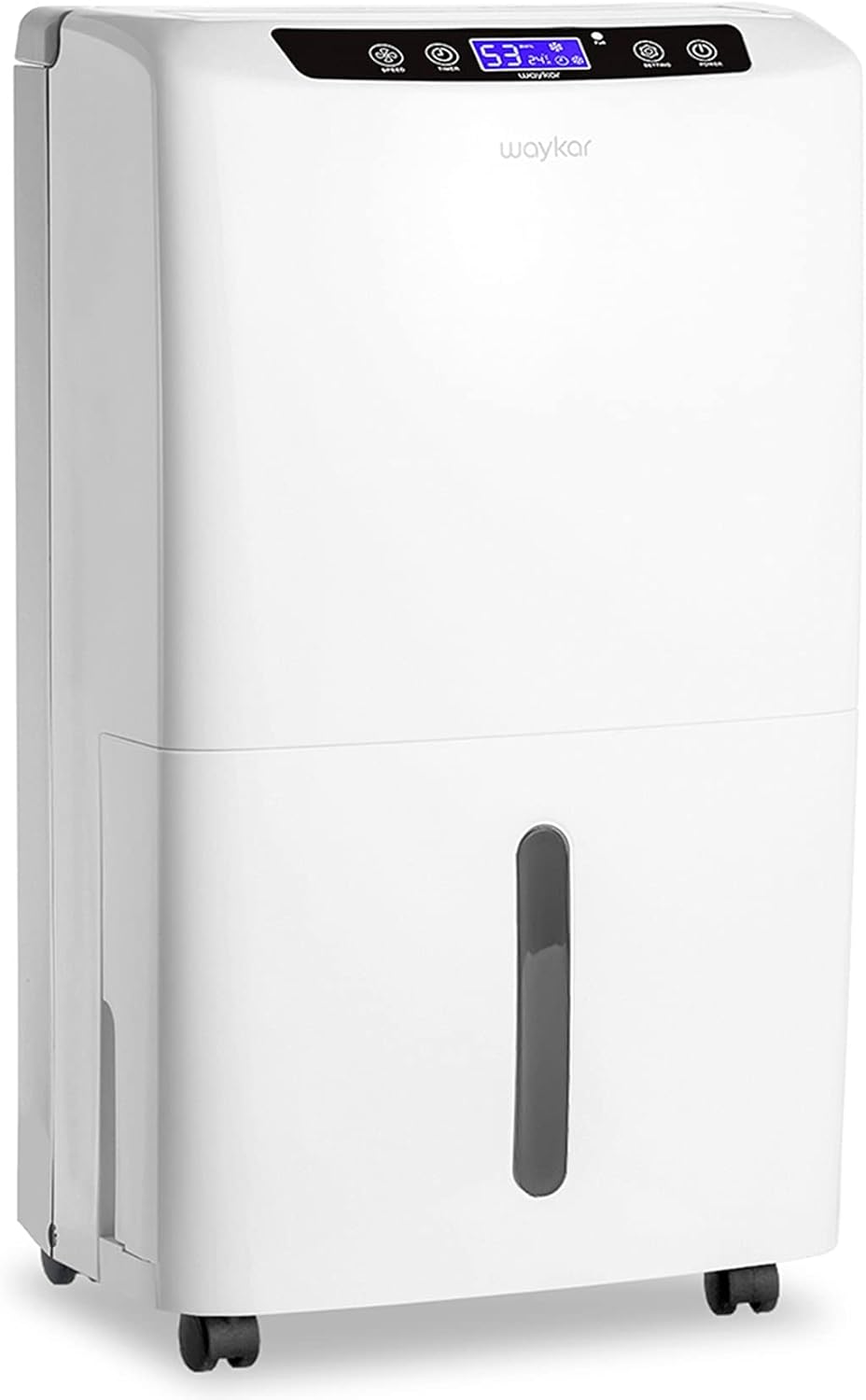
Different Types of Buying Guide
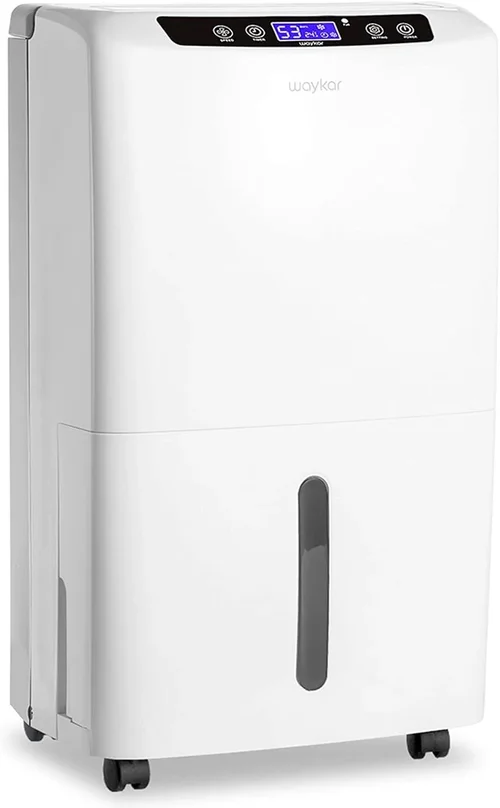
Common Buying Mistakes to Avoid
❌ Mistake: Choosing Based Solely on Square Footage
Why it’s bad: Square footage alone doesn’t account for humidity severity, insulation quality, or groundwater intrusion. A 2,000 sq ft basement with a sump pump and good drainage may need less capacity than a 1,200 sq ft space with chronic flooding.
What to do instead: Assess your basement’s actual moisture level using a hygrometer. If RH consistently exceeds 60%, opt for a higher PPD rating—even if the manufacturer’s chart suggests a lower capacity.
❌ Mistake: Ignoring Drainage Needs
Why it’s bad: Relying on manual bucket emptying in a large basement leads to neglect, overflow, and mold growth. Many buyers assume they can “just check it weekly,” but life gets busy.
What to do instead: Always choose a model with continuous drainage capability. If no floor drain exists, invest in a unit with a built-in pump or install a condensate line to a nearby sink or sump pit.
❌ Mistake: Overlooking Cold-Temperature Performance
Why it’s bad: Most dehumidifiers lose efficiency below 65°F. Basements often hover at 55–60°F, causing refrigerant units to ice up and shut down.
What to do instead: Look for “low-temp operation” specs or desiccant models. Check if the unit has auto-defrost or is rated for 50°F+ environments.
❌ Mistake: Buying the Cheapest Option Available
Why it’s bad: Budget dehumidifiers often lack pumps, have weak compressors, and use thin plastic that cracks in damp conditions. They may fail within a year.
What to do instead: Allocate at least $400–$600 for a reliable large-basement unit. The long-term savings in energy, repairs, and peace of mind justify the upfront cost.
❌ Mistake: Neglecting Filter Maintenance
Why it’s bad: Clogged filters reduce airflow, strain the compressor, and increase energy use by up to 30%. Many users don’t realize filters need monthly cleaning.
What to do instead: Choose models with washable, easy-access filters. Set calendar reminders to clean them every 4–6 weeks during humid seasons.
❌ Mistake: Assuming All “70-Pint” Units Are Equal
Why it’s bad: PPD ratings are tested under ideal lab conditions. Real-world performance varies widely based on compressor quality, coil design, and fan efficiency.
What to do instead: Read independent reviews and look for third-party certifications (AHAM, ENERGY STAR). Compare EF ratings—not just PPD.
Budget Guidelines: How Much Should You Spend?
Why it’s bad: Most dehumidifiers lose efficiency below 65°F. Basements often hover at 55–60°F, causing refrigerant units to ice up and shut down.
What to do instead: Look for “low-temp operation” specs or desiccant models. Check if the unit has auto-defrost or is rated for 50°F+ environments.
❌ Mistake: Buying the Cheapest Option Available
Why it’s bad: Budget dehumidifiers often lack pumps, have weak compressors, and use thin plastic that cracks in damp conditions. They may fail within a year.
What to do instead: Allocate at least $400–$600 for a reliable large-basement unit. The long-term savings in energy, repairs, and peace of mind justify the upfront cost.
❌ Mistake: Neglecting Filter Maintenance
Why it’s bad: Clogged filters reduce airflow, strain the compressor, and increase energy use by up to 30%. Many users don’t realize filters need monthly cleaning.
What to do instead: Choose models with washable, easy-access filters. Set calendar reminders to clean them every 4–6 weeks during humid seasons.
❌ Mistake: Assuming All “70-Pint” Units Are Equal
Why it’s bad: PPD ratings are tested under ideal lab conditions. Real-world performance varies widely based on compressor quality, coil design, and fan efficiency.
What to do instead: Read independent reviews and look for third-party certifications (AHAM, ENERGY STAR). Compare EF ratings—not just PPD.
Budget Guidelines: How Much Should You Spend?
Why it’s bad: Clogged filters reduce airflow, strain the compressor, and increase energy use by up to 30%. Many users don’t realize filters need monthly cleaning.
What to do instead: Choose models with washable, easy-access filters. Set calendar reminders to clean them every 4–6 weeks during humid seasons.
❌ Mistake: Assuming All “70-Pint” Units Are Equal
Why it’s bad: PPD ratings are tested under ideal lab conditions. Real-world performance varies widely based on compressor quality, coil design, and fan efficiency.
What to do instead: Read independent reviews and look for third-party certifications (AHAM, ENERGY STAR). Compare EF ratings—not just PPD.
Budget Guidelines: How Much Should You Spend?
Entry-Level ($200–$350): These units typically offer 30–50 PPD and basic features like manual drainage and analog controls. They’re suitable only for mildly damp, smaller basements (<1,500 sq ft) and often lack pumps or smart features. Expect higher noise levels and shorter lifespans. Best for temporary fixes or supplemental use. Mid-Range ($350–$600): This is the sweet spot for most large basement owners. You’ll find 50–70 PPD models with digital controls, continuous drainage, auto-defrost, and decent energy efficiency. Brands like hOmeLabs, Tosot, and Frigidaire dominate this tier. Many include pumps and washable filters. Ideal for year-round use in moderately damp spaces.
Premium ($600–$1,000): Designed for serious moisture challenges, these units deliver 70+ PPD, ultra-quiet operation (<50 dB), smart connectivity, and robust build quality. Expect features like Wi-Fi apps, programmable schedules, and corrosion-resistant coils. Perfect for finished basements, flood zones, or those wanting hands-off automation. Luxury ($1,000+): Reserved for whole-house systems or commercial-grade applications. These include AprilAire, Santa Fe, and Dri-Eaz models with permanent installation, zoned humidity control, and industrial pumps. They’re overkill for most residential basements but ideal for large estates, museums, or properties with chronic water issues.
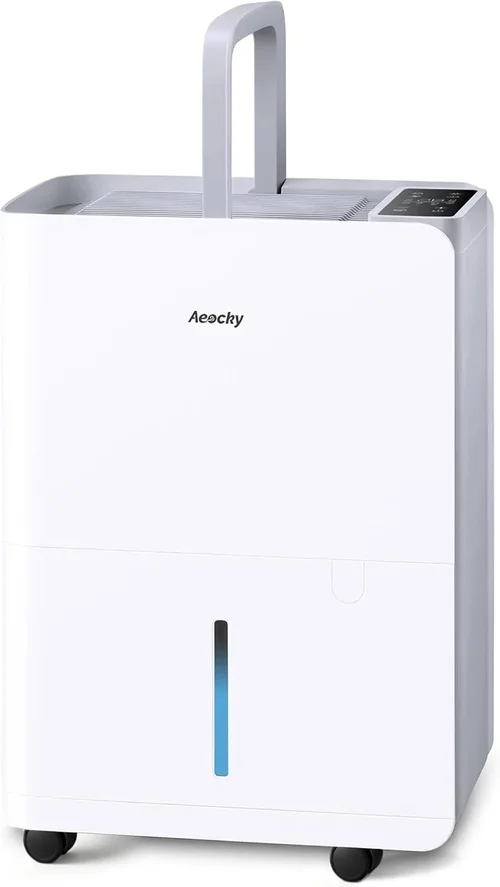
Expert Tips for Getting the Best Deal
– Buy in late winter or early spring: Retailers discount dehumidifiers before humid season hits. Look for Presidents’ Day or Memorial Day sales.
– Check warehouse clubs and home improvement stores: Costco, Sam’s Club, Home Depot, and Lowe’s often carry exclusive models with extended warranties.
– Use price-tracking tools: Set alerts on CamelCamelCamel (for Amazon) or Honey to catch drops on your wishlisted models.
– Consider refurbished or open-box units: Reputable sellers like Amazon Renewed or manufacturer outlets offer certified pre-owned models at 20–40% off with full warranties.
– Negotiate installation add-ons: If buying a whole-house unit, ask for free ductwork assessment or pump installation.
– Verify return policies: Ensure you have at least 30 days to test the unit in your basement—some retailers charge restocking fees.
– Bundle with other purchases: Buying during a basement renovation? Ask for package deals on insulation, sump pumps, or flooring.
– Register your warranty immediately: Some brands require registration within 10–30 days to activate coverage.

Frequently Asked Questions
Q: Can one dehumidifier handle my entire 2,500 sq ft basement?
A: Yes, if it’s a high-capacity model (70+ PPD) with good airflow. Open floor plans work best. For segmented basements with multiple rooms, consider two smaller units or ensure the primary unit is centrally located with fans to circulate air.
Q: Do I really need a pump, or can I use gravity drainage?
A: If your basement has a floor drain, laundry sink, or sump pit at the same level or lower than the unit, gravity drainage works. But if the drain is uphill or across the room, a pump is essential. Pumps also prevent overflow during power outages if paired with a battery backup.
Q: How often should I clean the filter?
A: Every 4–6 weeks during humid months (spring–fall), and every 8–12 weeks in winter. Wash it with mild soap and water, let it dry completely, and reinstall. A clogged filter reduces efficiency and can cause the unit to ice up.
Q: Will a dehumidifier increase my electric bill significantly?
A: A 70-pint ENERGY STAR model uses about 500–600 watts. Running 12 hours/day at $0.12/kWh costs roughly $20–$25/month. This is far less than the cost of mold remediation or structural repairs.
Q: Can I use a dehumidifier in winter?
A: Only if your basement stays above 50°F. Below that, refrigerant units may ice up. Desiccant models work down to 30°F but consume more energy. Many homeowners turn off dehumidifiers in deep winter unless humidity remains high.
Q: What’s the ideal humidity level for a basement?
A: Aim for 45–55% relative humidity. Below 40%, you risk dry air and static; above 60%, mold and dust mites thrive. Use a calibrated hygrometer to monitor levels.
Q: Are smart dehumidifiers worth the extra cost?
A: If you travel often or want remote monitoring, yes. Features like leak alerts, app control, and integration with smart thermostats add convenience. For stationary use, basic digital controls suffice.
Q: How long do dehumidifiers typically last?
A: Quality units last 5–10 years with proper maintenance. Compressor failure is the most common end-of-life issue. Regular filter cleaning and avoiding overloading extend lifespan.
Q: Should I run my dehumidifier continuously?
A: Not necessarily. Most modern units have auto modes that cycle on/off to maintain your set humidity. Continuous running is only needed during extreme dampness or after flooding.
Our Final Recommendations
Best for Budget-Conscious Buyers: hOmeLabs 70 Pint Dehumidifier – At under $400, it offers excellent 70 PPD performance, built-in pump, quiet operation (48 dB), and a washable filter. Ideal for moderately damp basements up to 2,500 sq ft.
Best Overall Value: Frigidaire FFAD7033R1 – ENERGY STAR certified, 70 PPD, low-temp operation down to 41°F, and reliable gravity drainage. Priced around $500, it’s a workhorse with strong user reviews and minimal maintenance needs.
Best Premium Option: AprilAire E70 Pro – A whole-basement solution with 70 PPD, Wi-Fi connectivity, corrosion-resistant coils, and a 5-year warranty. At $900+, it’s built for harsh environments and offers app-based monitoring and alerts.
Best for Beginners: Tosot 70 Pint Smart Dehumidifier – Features intuitive touch controls, auto-humidistat, and a clear water level indicator. The included hose kit simplifies setup, and its compact design fits tight spaces.
Best for Advanced Users: Santa Fe Compact 70 – Designed for extreme conditions, this desiccant-based unit works flawlessly in cold basements (down to 30°F), removes 70 pints silently, and includes a high-lift pump. Priced near $1,200, it’s for those who demand perfection.
Conclusion: Making the Right Choice
Choosing the right dehumidifier for your large basement isn’t just about picking the biggest or most expensive model—it’s about matching the unit’s capabilities to your specific environment, usage patterns, and long-term goals. We’ve covered the critical factors: moisture removal capacity, energy efficiency, drainage options, noise, build quality, and smart features. We’ve also highlighted common mistakes, budget realities, and expert strategies to maximize value.
Remember, a dehumidifier is an investment in your home’s health and longevity. The right one will prevent mold, protect your belongings, improve air quality, and even reduce HVAC workload. Take the time to assess your basement’s unique needs, read real user reviews, and prioritize reliability over flashy extras. Whether you opt for a mid-range workhorse or a premium smart system, the payoff—peace of mind and a truly usable basement—is well worth it.
Now that you’re armed with expert knowledge, don’t wait for the next musty smell or water stain to appear. Act proactively, choose wisely, and enjoy a dry, comfortable basement all year long.